English | 简体中文

A modern sidebar LuCI theme for OpenWrt, built with shadcn/ui design language.
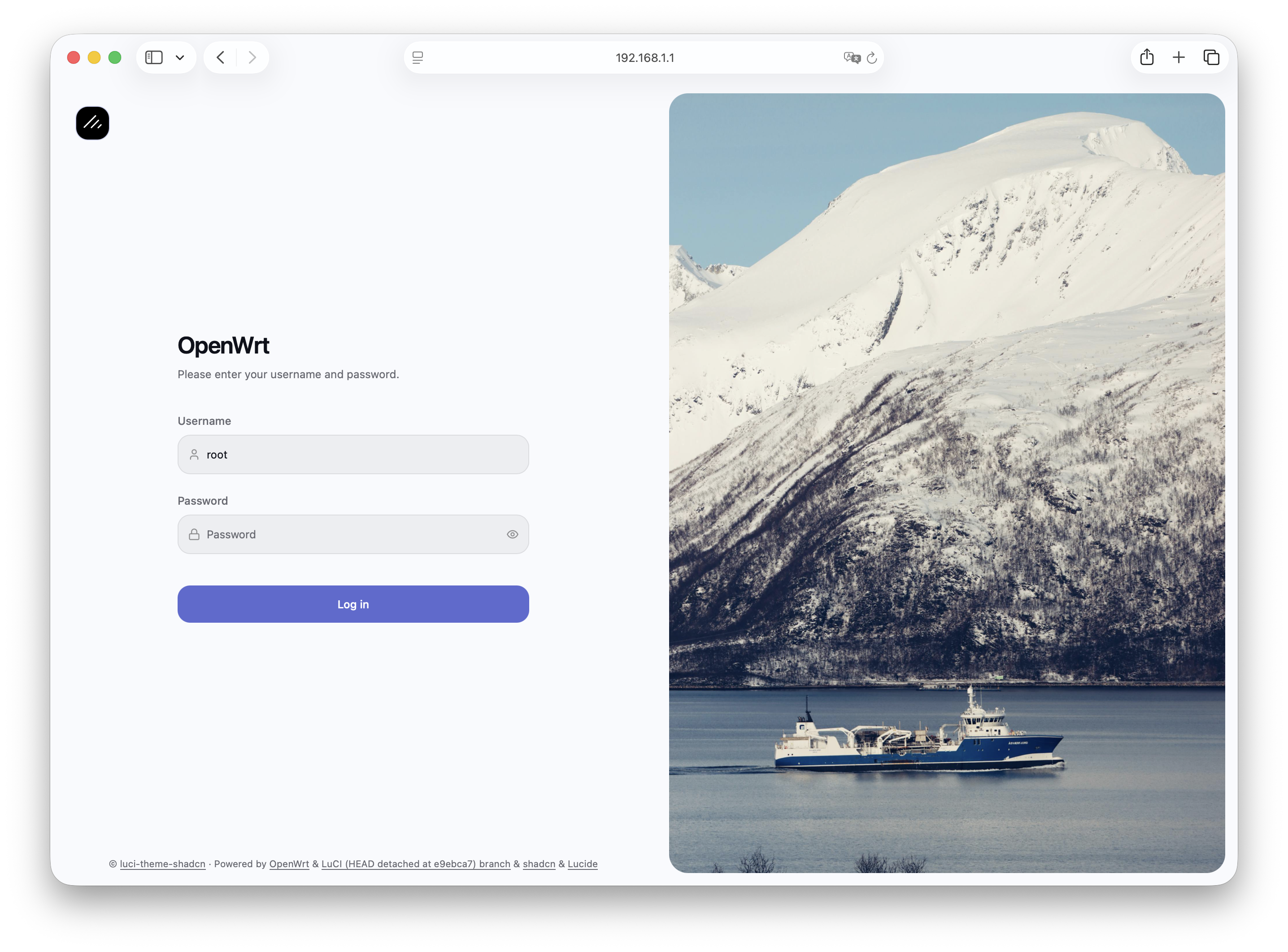
Background: the Norwegian Strait.
## Features
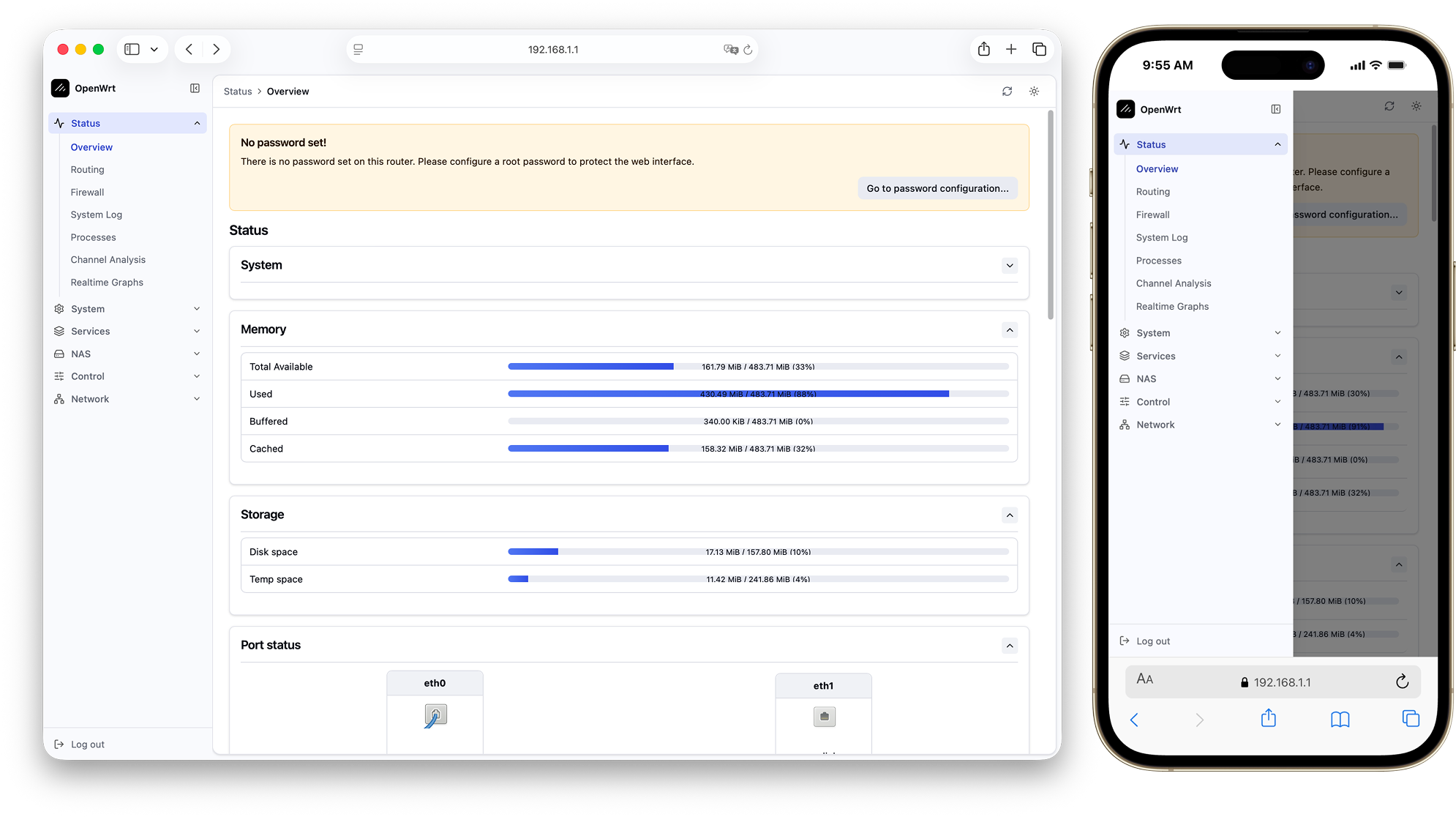
- **Sidebar layout**: Collapsible sidebar with accordion sub-menus and mobile drawer.
- **Fast, silky navigation**: On supported browsers, switching pages only updates the content instead of reloading the whole page, so moving between pages feels seamless and loads much faster (see the [router doc](.dev/docs/router.md)). This no-reload page-switching took cues from [luci-theme-footstrap](https://github.com/VizzleTF/luci-theme-footstrap).
- **Dark / Light mode**: Built-in toggle, preference remembered automatically, flash-free restore on load.
- **Command palette (⌘K)**: Search and jump to any page from the topbar.
- **shadcn/ui design**: Clean, modern look, following its dashboard layout.
- **Modern stack**: Fast to load, smooth to navigate, with carefully chosen typography and icons.
## Preview
## Compatibility
- **OpenWrt**: Requires OpenWrt 23.05.0 or later (ucode templates + LuCI JavaScript APIs).
- **Browsers**: Built with **TailwindCSS v4**. Compatible with the following modern browsers:
- **Chrome/Edge 111+** _(released March 2023)_
- **Safari 16.4+** _(released March 2023)_
- **Firefox 128+** _(released July 2024)_
- _Optional enhancement, not a requirement:_ same-document navigation (no full page reload between view pages) uses the [Navigation API](https://developer.mozilla.org/en-US/docs/Web/API/Navigation_API) where available — Chrome/Edge 105+, Safari 26.2+, Firefox 147+. Browsers without it keep classic full-page navigation automatically, with no loss of function.
## Installation
Run these commands on the router itself (e.g. over an SSH session).
### Via the eamonxg package feed
```sh
wget -qO- https://openwrt.eamonxg.fun/install.sh | sh
```
That is the whole installation — the script adds the feed and installs whatever you tick from the list it shows. Upgrade later with the usual commands: `apk update && apk upgrade luci-theme-shadcn`, or `opkg update && opkg upgrade luci-theme-shadcn`. Details: [openwrt.eamonxg.fun](https://openwrt.eamonxg.fun/).
> **apk**: if this package was previously installed from a downloaded `.apk` file, that pinned it in `/etc/apk/world` and `apk upgrade` will silently do nothing — success reported, version unchanged. Run `apk add luci-theme-shadcn` once (the name, no path) to clear the pin. The script above already does this for you.
### Via a GitHub release
OpenWrt 25.12+ and snapshots use `apk`; older versions use `opkg`.
> **Tip**: Run `opkg --version` or `apk --version` to check which package manager your device has.
```sh
cd /tmp
# opkg
uclient-fetch -O luci-theme-shadcn.ipk https://github.com/eamonxg/luci-theme-shadcn/releases/latest/download/luci-theme-shadcn_0.5.0-r20260830_all.ipk
opkg install luci-theme-shadcn.ipk
# apk
uclient-fetch -O luci-theme-shadcn.apk https://github.com/eamonxg/luci-theme-shadcn/releases/latest/download/luci-theme-shadcn-0.5.0-r20260830.apk
apk add --allow-untrusted luci-theme-shadcn.apk
```
## Build from source
Build the package yourself with the OpenWrt build system. Host prerequisites: [Build system setup](https://openwrt.org/docs/guide-developer/toolchain/install-buildsystem). The build writes the package to `bin/packages//base/` (e.g. `bin/packages/x86_64/base/luci-theme-shadcn_*_all.ipk`); copy it to your router and install it as above.
### Via the full source tree or SDK
Get set up — clone the full source tree:
```sh
# Full source tree — the openwrt-24.10 branch builds an .ipk, the main branch builds an .apk
git clone https://github.com/openwrt/openwrt.git
cd openwrt
git checkout openwrt-24.10
```
Or the [prebuilt SDK](https://openwrt.org/docs/guide-developer/toolchain/using_the_sdk) (faster: skips building the toolchain). Grab the archive for your target from [downloads.openwrt.org](https://downloads.openwrt.org), which splits SDKs into Release and Snapshot builds — Release 24.10.x and earlier build `.ipk`; Release 25.12+ and Snapshot build `.apk` (filename, arch and compression vary by target):
```sh
wget
tar -xf openwrt-sdk-*.tar.*
cd openwrt-sdk-*/
```
Then, from that directory:
```sh
# Add this package and install feeds (provides luci-base)
git clone https://github.com/eamonxg/luci-theme-shadcn.git package/luci-theme-shadcn
./scripts/feeds update -a
./scripts/feeds install -a
# Select the theme in menuconfig: LuCI → Themes → luci-theme-shadcn
make menuconfig
# Skip these two lines with the SDK — it already ships a built toolchain
make tools/install -j$(nproc)
make toolchain/install -j$(nproc)
make package/luci-theme-shadcn/compile -j$(nproc) V=s
```
## License & Acknowledgments
[Apache 2.0](LICENSE). Thanks to:
- [shadcn/ui](https://github.com/shadcn-ui/ui) — the logo is its mark with a diagonal line added, echoing a Wi-Fi signal
- [Lucide](https://github.com/lucide-icons/lucide) — icons
- [Linear](https://linear.app) — color system inspiration
- [Vite](https://vite.dev/) and [Tailwind CSS](https://tailwindcss.com/)
- [luci-theme-bootstrap](https://github.com/openwrt/luci/tree/master/themes/luci-theme-bootstrap) — template structure and LuCI integration patterns
- [luci-theme-material](https://github.com/openwrt/luci/tree/master/themes/luci-theme-material) — sidebar menu rendering approach
- [luci-theme-footstrap](https://github.com/VizzleTF/luci-theme-footstrap) — a LuCI theme with its own client-side router. The same-document navigation borrows some of its ideas and implements them on the Navigation API instead — see the [router doc](.dev/docs/router.md)
- [Claude Code](https://claude.ai/code)