7Dollar
不像工程师后台的 OpenWrt 主题
An OpenWrt theme that doesn't look like an engineer's console



安装 · 使用 · 卸载 · English
## 简介
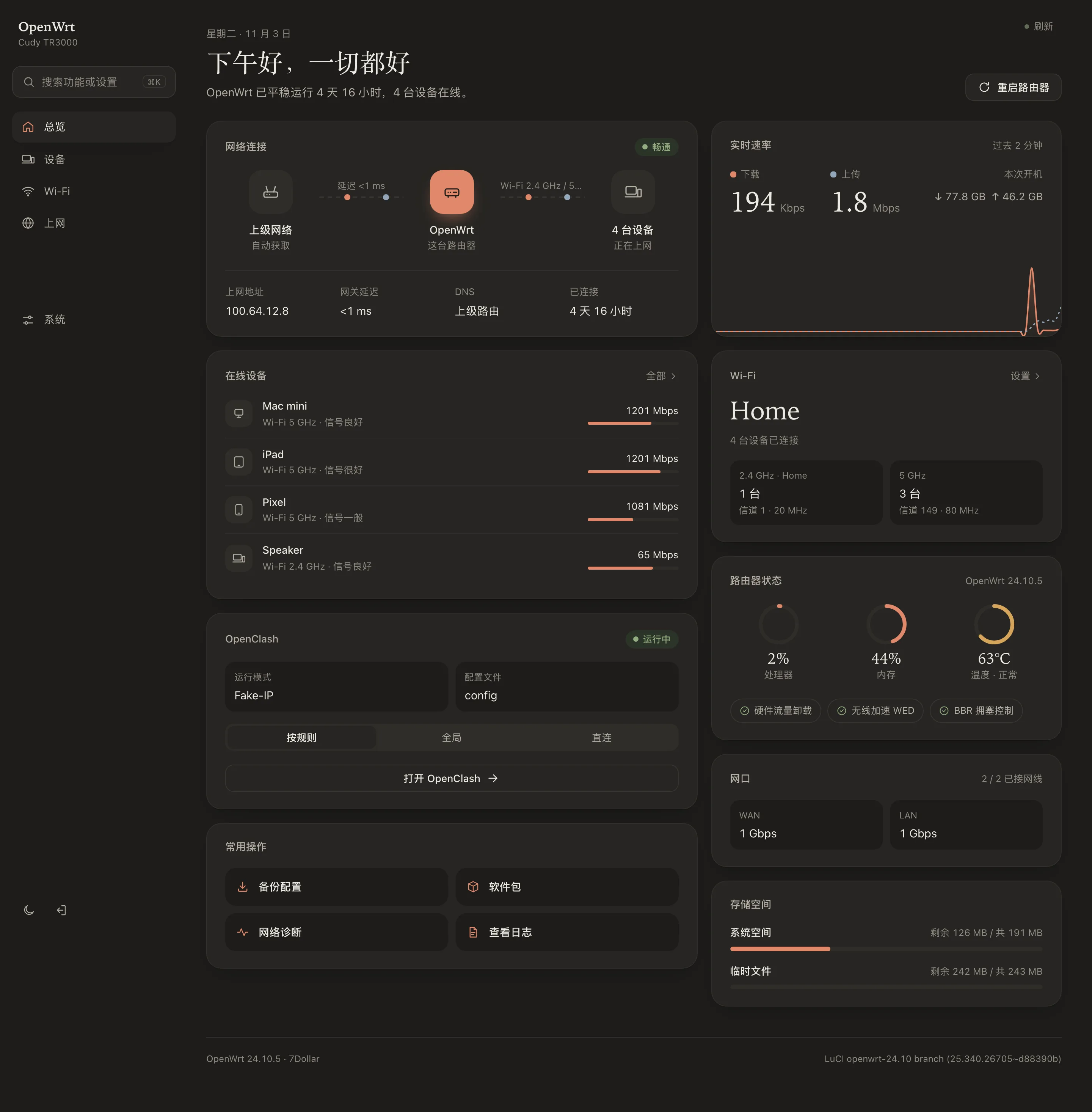
OpenWrt 的多数主题只调整了颜色,页面上仍是大量参数、表格和英文缩写,不熟悉网络的用户不容易看懂。7Dollar 重新组织了页面的呈现方式,让普通用户也能直接找到需要的信息和功能。
| | 常见主题 | 7Dollar |
| --- | --- | --- |
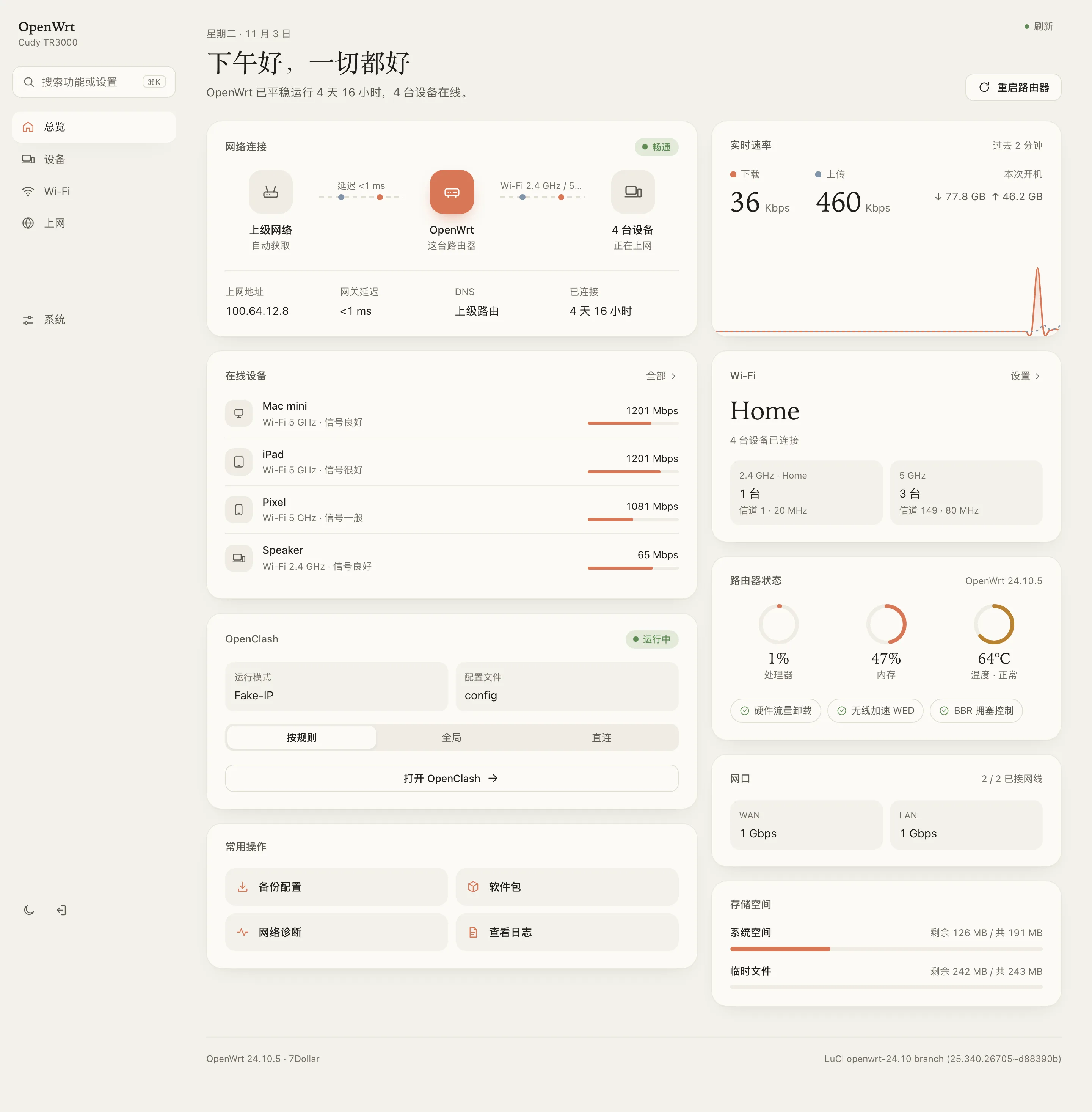
| 首页 | 参数表 | 网络状态、速率、在线设备集中显示 |
| 菜单 | 按技术模块分类:状态 / 系统 / 服务 / 网络 | 按使用场景分类:设备 / Wi‑Fi / 上网 / 安全 |
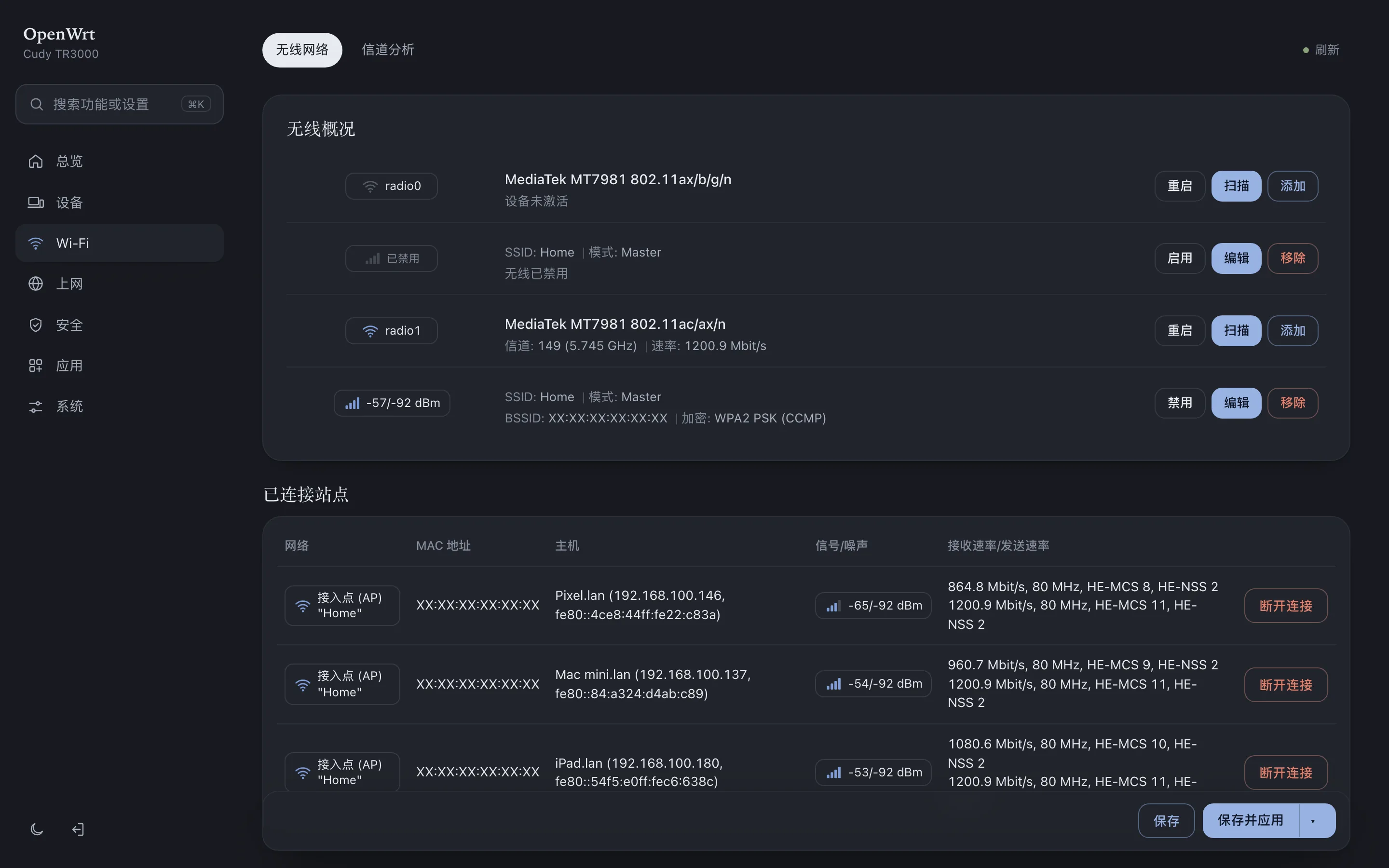
| 设备 | MAC 地址和 IP 列表 | 设备名称、类型、信号强度、连接时长 |
| 状态页 | 显示全部字段 | 默认显示常用信息,MAC、BSSID 等在「详情」中查看 |
| 用词 | 2g / 5g、DHCP 租约 | 2.4 GHz / 5 GHz、在线设备 |
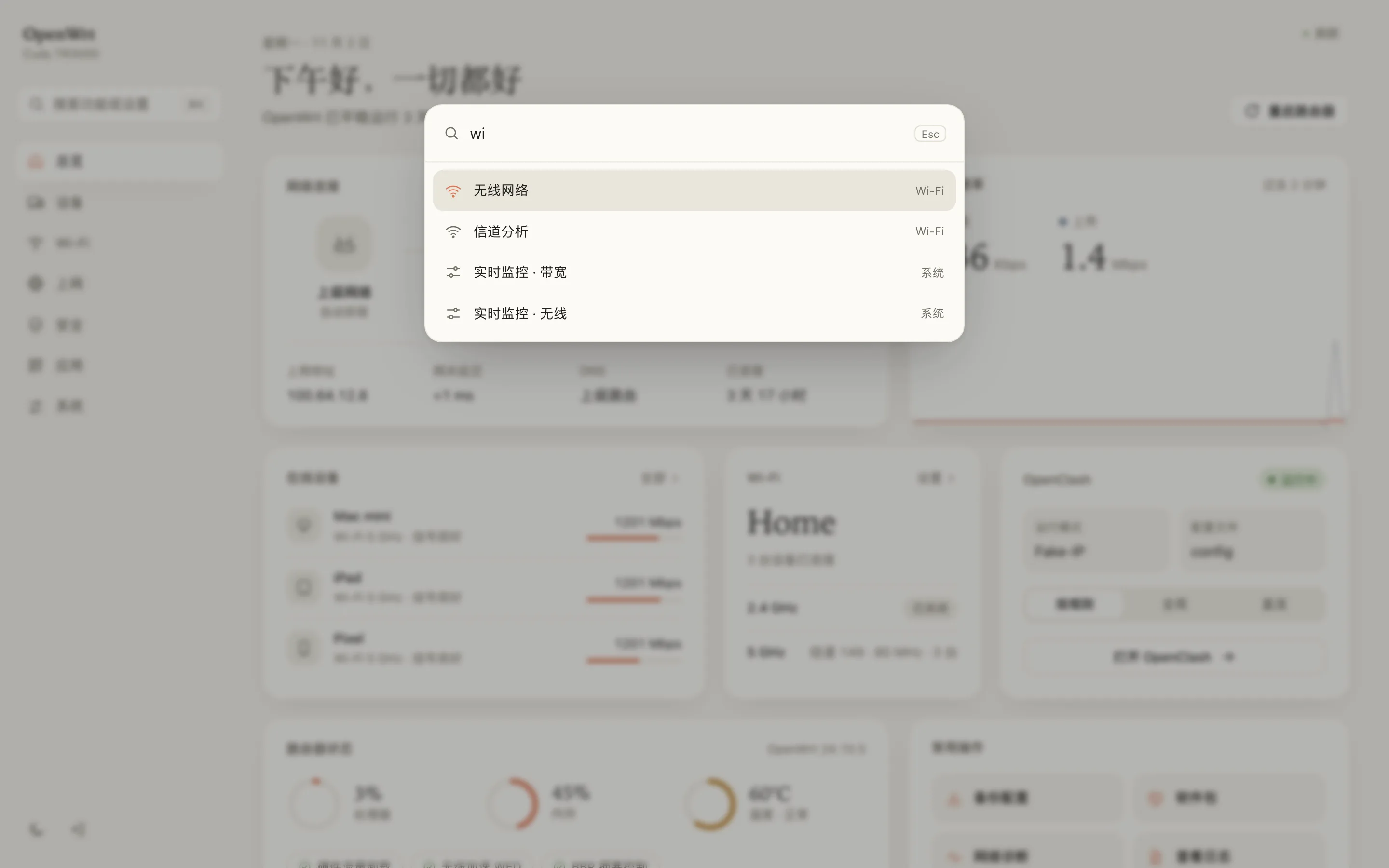
| 查找功能 | 逐级打开菜单 | ⌘K 搜索 |
LuCI 原有功能全部保留,只调整了显示方式。
## 名称由来
开发这个主题共花费了 **7 美元** 的 AI Token 费用,因此命名为 7Dollar。
## 功能
- **首页总览**:显示网络状态、实时速率、在线设备、Wi‑Fi、路由器状态、网口和存储空间。卡片可以单独开关,并自动分为两列排列
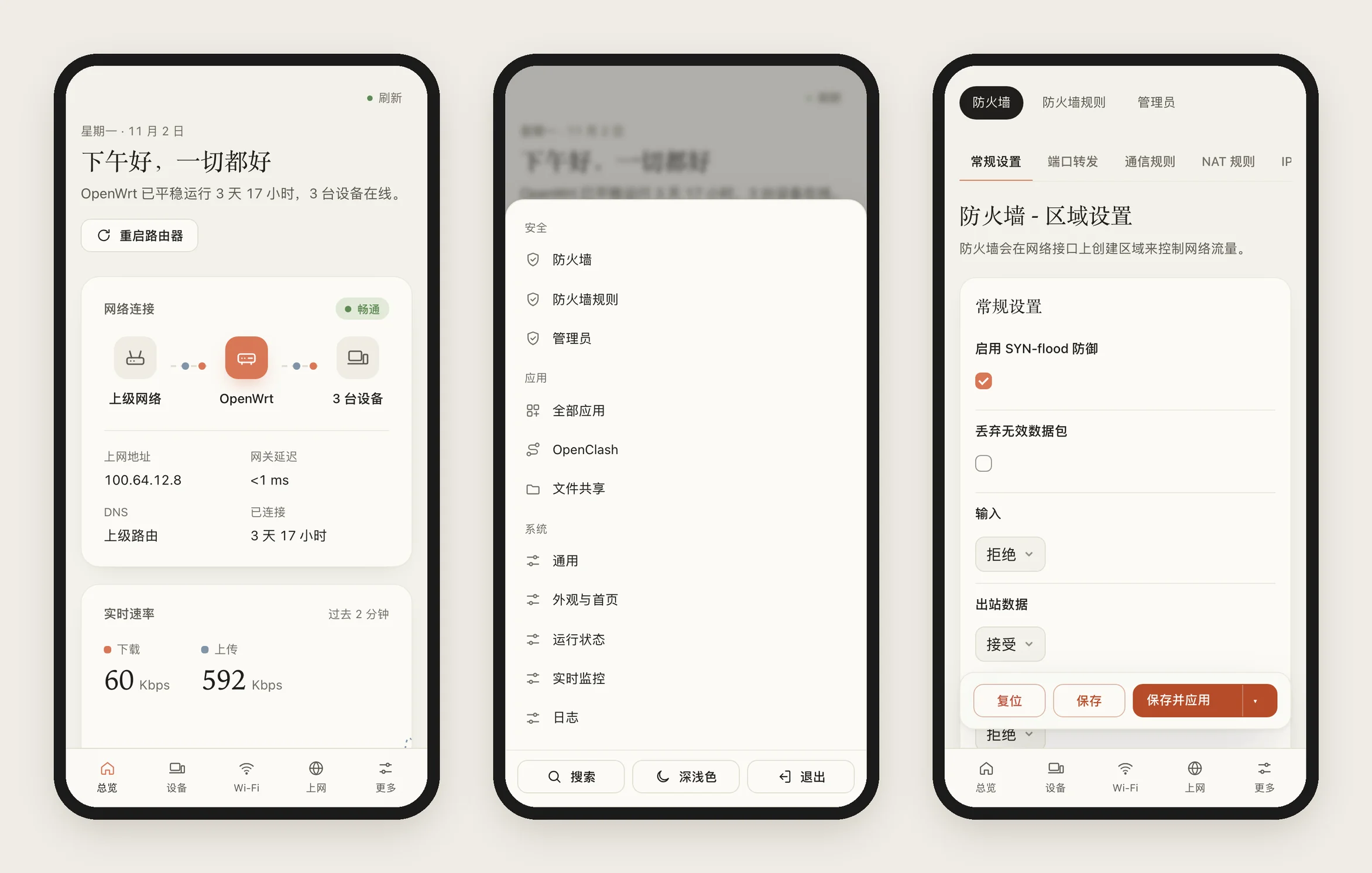
- **按用途分组的菜单**:总览 / 设备 / Wi‑Fi / 上网 / 安全 / 应用 / 系统,支持 ⌘K / Ctrl K 搜索
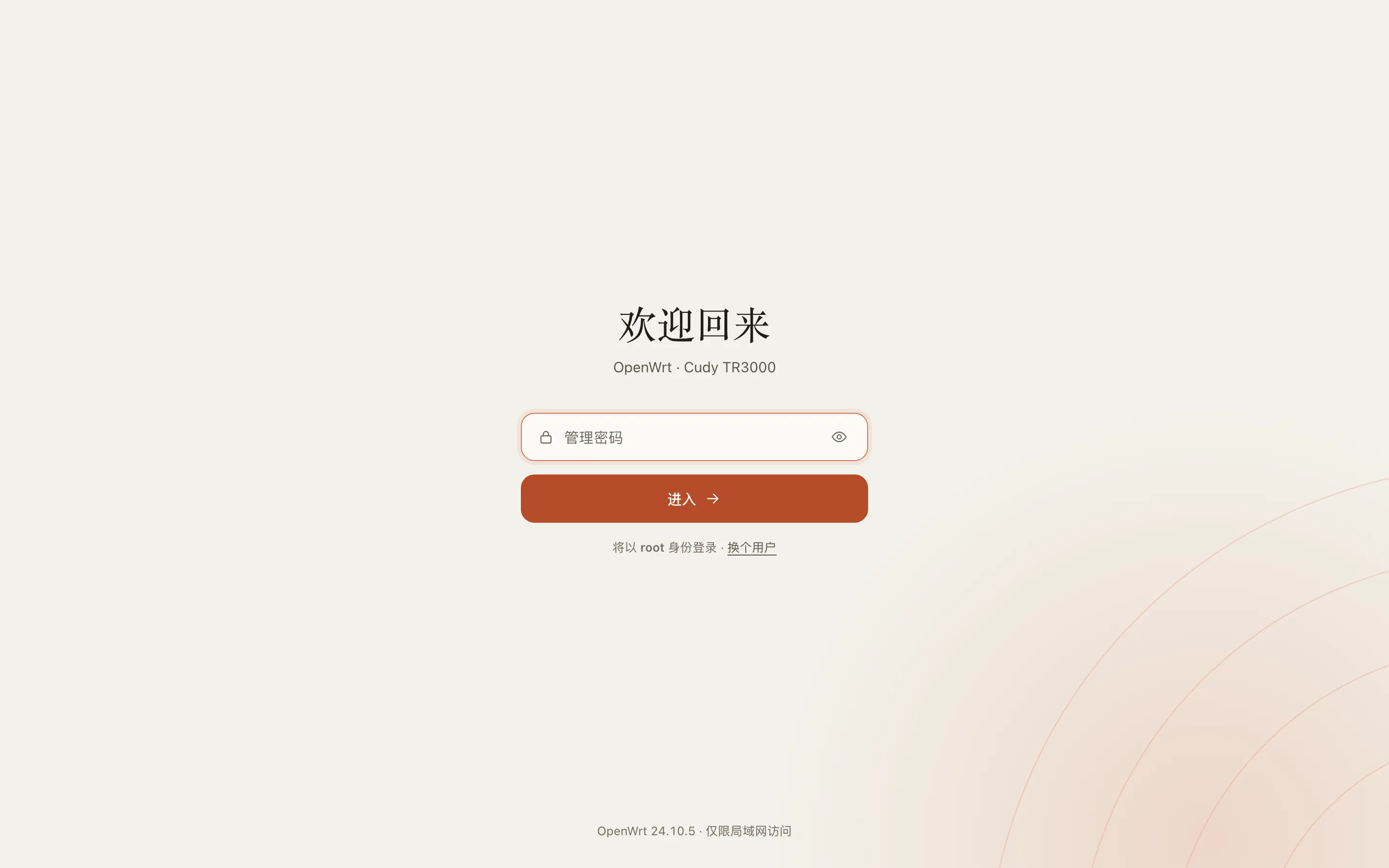
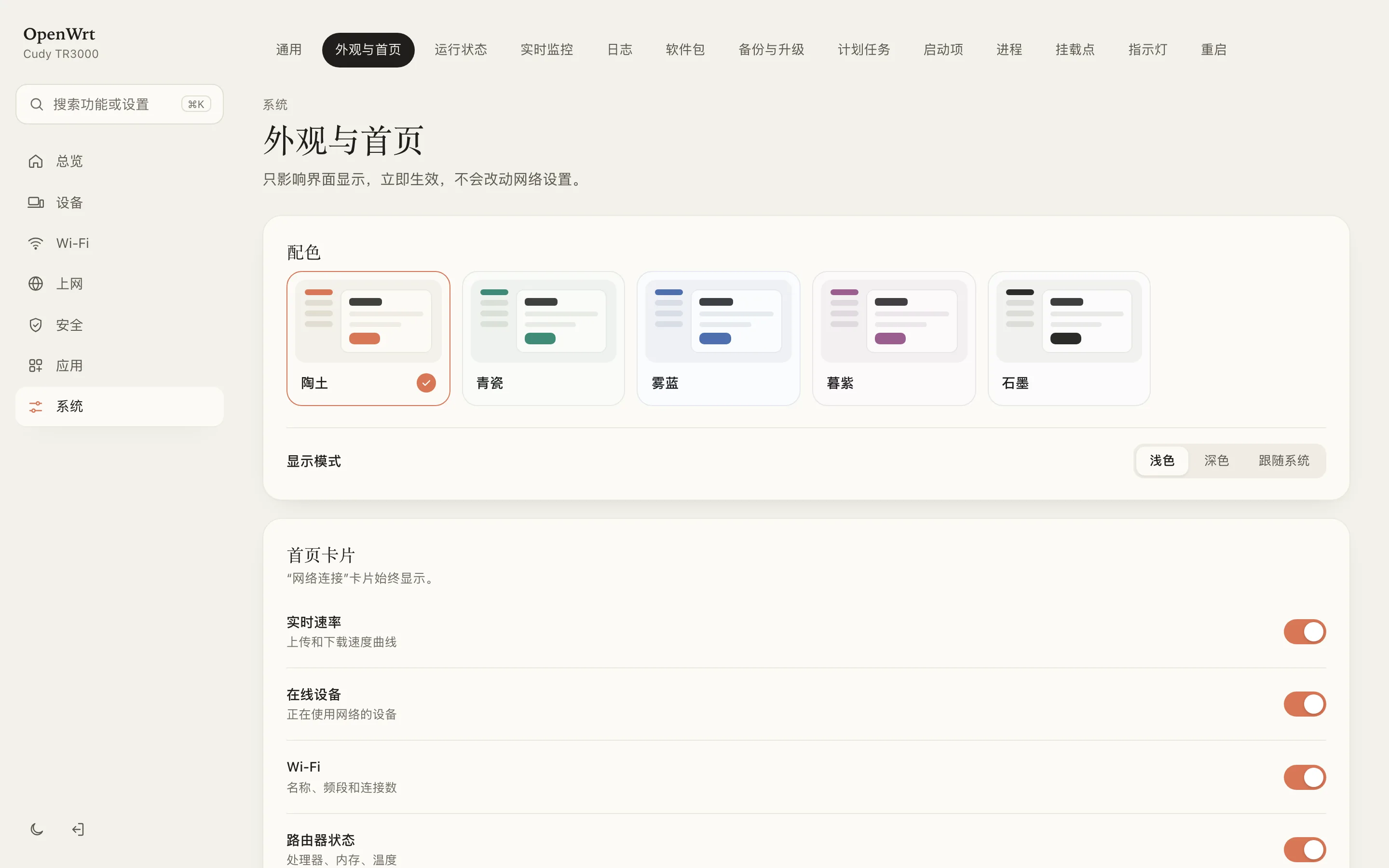
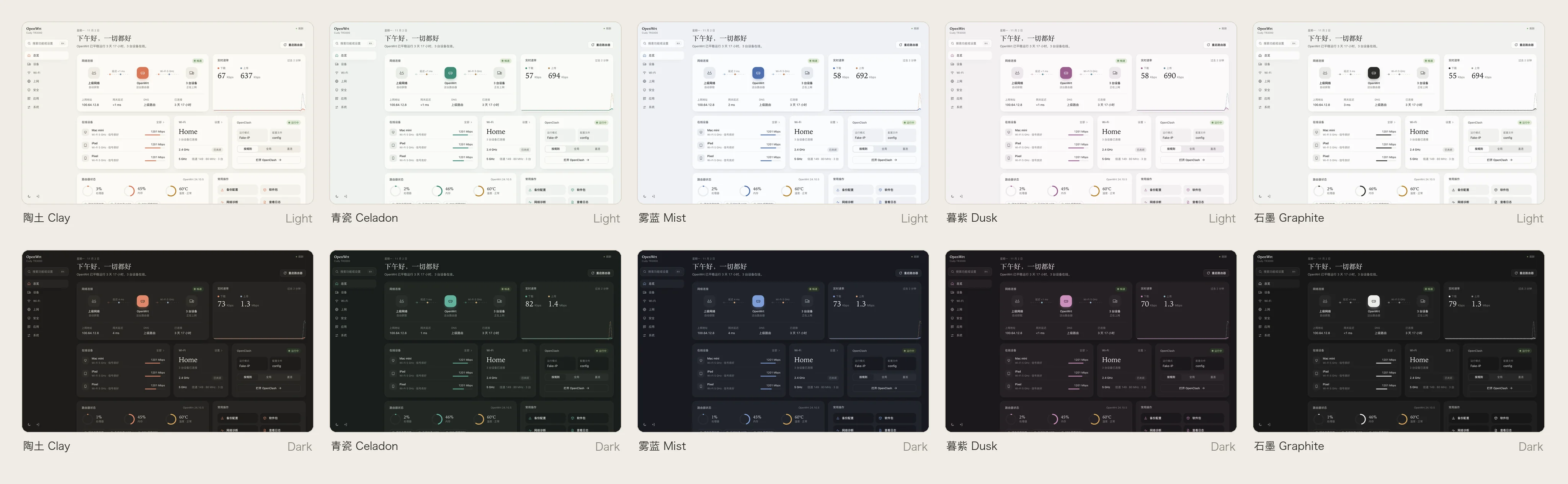
- **5 套配色**:陶土、青瓷、雾蓝、暮紫、石墨,均有浅色和深色,可跟随系统设置
- **应用卡片(可选)**:默认关闭。开启后,首页列出正在运行的插件,适用于任意插件。常见插件会额外显示一项关键信息,例如 OpenClash 代理模式(可直接切换)、PassWall 当前节点、文件共享剩余空间。信息只从插件配置中读取,不调用插件接口
- **自适应布局**:在手机、平板和页面缩放时自动调整排版
- **轻量**:不加载外部字体,不发起外部请求;CSS 16 KB(gzip),安装包 49 KB
- **兼容原生页面**:LuCI 功能保持不变,原生图标统一为主题风格
- **信息分层**:Wi‑Fi、接口和状态页默认只显示常用信息,MAC、BSSID、数据包数等内容点击「详情」查看
## 截图
## 安装
安装前请确认路由器系统为 **OpenWrt 23.05 或更新版本**。版本号可在后台「状态 → 概览」中查看。
### 方法一:网页上传(推荐,无需命令行)
适用于 23.05 / 24.10。25.x 请使用方法二。
1. 下载安装包:[luci-theme-7dollar_1.0.17-r1_all.ipk](https://github.com/itsmaiGe/luci-theme-7dollar/releases/latest/download/luci-theme-7dollar_1.0.17-r1_all.ipk)(历史版本见 [Releases](https://github.com/itsmaiGe/luci-theme-7dollar/releases))
2. 在浏览器中打开路由器后台(通常为 `192.168.1.1`),输入密码登录
3. 打开 **系统 → 软件包 → 上传软件包…**,选择下载的文件,点击 **上传**,再点击 **安装**
4. 刷新页面(Windows 按 F5,Mac 按 ⌘ R)
> 如果刷新后界面没有变化:打开 **系统 → 系统 → 语言和界面**,将 **主题** 设为 **7Dollar**,点击 **保存并应用**。
### 方法二:一行命令
适用于所有支持的版本。脚本会根据系统自动选择 ipk(23.05 / 24.10)或 apk(25.x)安装包。
1. 打开终端:Mac 上搜索「终端」,Windows 上搜索「PowerShell」
2. 登录路由器(将 IP 替换为你的路由器地址):
```sh
ssh root@192.168.1.1
```
首次连接出现 `yes/no` 提示时,输入 `yes` 并回车;然后输入路由器密码并回车。输入密码时屏幕不显示字符,这是正常现象。
3. 粘贴下面的命令并回车,出现「完成」后刷新浏览器:
```sh
wget -qO- https://raw.githubusercontent.com/itsmaiGe/luci-theme-7dollar/main/install.sh | sh
```
下载失败
如果访问 GitHub 不稳定,建议使用方法一:先在电脑上下载安装包,再上传到路由器。
也可以使用 GitHub 加速代理(将 `<代理地址>` 替换为实际地址):
```sh
wget -qO- <代理地址>/https://raw.githubusercontent.com/itsmaiGe/luci-theme-7dollar/main/install.sh | PROXY=<代理地址>/ sh
```
从源码编译
在 OpenWrt 源码或 SDK 中:
```sh
git clone https://github.com/itsmaiGe/luci-theme-7dollar.git feeds/luci/themes/luci-theme-7dollar
./scripts/feeds update -i && ./scripts/feeds install luci-theme-7dollar
make menuconfig # LuCI → Themes → luci-theme-7dollar
make package/luci-theme-7dollar/compile V=s
```
不使用 SDK 时,可在 macOS / Linux 上运行 `./scripts/build-ipk.sh` 生成 ipk(需要 Node.js,打包时用 esbuild 压缩 JS / CSS,源码不变);apk 由 GitHub Actions 在 OpenWrt 25.12 镜像中构建并测试安装(见 `.github/workflows/apk.yml`)。两者都输出到 `dist/`。
## 使用
| 操作 | 位置 |
| --- | --- |
| 切换配色 / 深浅色 | 系统 → 外观与首页(也可点击左下角 🌙 切换深浅色) |
| 调整首页卡片 | 系统 → 外观与首页 → 首页卡片 |
| 首页显示正在运行的插件 | 系统 → 外观与首页 → 首页卡片 → 应用 |
| 查看在线设备 | 侧边栏「设备」 |
| 搜索设置 | ⌘K / Ctrl K / / |
| 打开已装插件 | 侧边栏「应用」 |
主题设置保存在 `/etc/config/7dollar`,只影响界面显示,不会修改网络配置。
## 卸载
- **切换为其他主题**:打开 系统 → 系统 → 语言和界面 → 主题,选择 Bootstrap 或其他主题,保存并应用
- **完全卸载**:打开 系统 → 软件包 → 已安装,搜索 `7dollar`,点击 **移除**。卸载后会自动切换为 Bootstrap
- **命令卸载**:
```sh
wget -qO- https://raw.githubusercontent.com/itsmaiGe/luci-theme-7dollar/main/uninstall.sh | sh
```
后台无法打开时
通过 SSH 登录路由器后执行以下命令,切换为默认主题:
```sh
uci set luci.main.mediaurlbase=/luci-static/bootstrap && uci commit luci
```
## 兼容性
| | |
| --- | --- |
| OpenWrt | 23.05、24.10(ipk),25.x(apk);不支持 22.03 及更早版本 |
| 浏览器 | Chrome / Edge 111+、Safari 16.4+、Firefox 113+(2023 年以后的版本) |
| 已测试 | Cudy TR3000 · OpenWrt 24.10.5 · MT7981B |
| 共存 | 可与 Bootstrap、Argon 等主题同时安装 |
## 目录结构
```
htdocs/luci-static/7dollar/ 样式、图标
htdocs/luci-static/resources/ 导航与页面脚本
ucode/ 页面框架、登录页
root/ 默认配置、菜单、权限
dist/ ipk / apk 安装包
install.sh / uninstall.sh 安装 / 卸载脚本
```
## 致谢
- [OpenWrt LuCI](https://github.com/openwrt/luci)
- [zashboard](https://github.com/Zephyruso/zashboard):多配色设计参考
- 默认配色参考 Claude 的橙色
## English
**7Dollar** is a LuCI theme for people who are not network engineers: it shows what matters (online or not, how fast, who's connected) instead of listing every field, groups menus by task (Devices, Wi‑Fi, Internet, Security), and keeps the technical details one *Details* click away. Nothing from LuCI is removed. It is a clean, card-based theme for OpenWrt 23.05+ (ucode LuCI), including apk-based 25.x. The name comes from its cost: **$7** in AI tokens.
- Home dashboard with connection status, live throughput, devices, Wi‑Fi and system health
- Menus grouped by purpose, with ⌘K search
- 5 palettes (Clay, Celadon, Mist, Dusk, Graphite), each in light and dark
- Optional Apps card (off by default): lists whatever plugins are running. Popular ones get one line that matters (OpenClash proxy-mode switch, PassWall node, file-sharing free space…), read from their config, never from their API.
- Native LuCI pages restyled, icons included
- Status pages (Wi‑Fi, interfaces, overview) show the essentials; MACs, BSSIDs, packet counts and the like sit behind *Details*
- Responsive and zoom-friendly; no external fonts or requests; 49 KB package
**Install**: upload [the ipk](https://github.com/itsmaiGe/luci-theme-7dollar/releases/latest/download/luci-theme-7dollar_1.0.17-r1_all.ipk) via *System → Software → Upload Package* (23.05 / 24.10), or run over SSH on any version (picks the ipk or the [apk](https://github.com/itsmaiGe/luci-theme-7dollar/tree/main/dist) automatically):
```sh
wget -qO- https://raw.githubusercontent.com/itsmaiGe/luci-theme-7dollar/main/install.sh | sh
```
**Uninstall**: `opkg remove luci-theme-7dollar` / `apk del luci-theme-7dollar`, or the `uninstall.sh` one-liner.
## License
[Apache-2.0](LICENSE) © itsmaiGe