

💧 luci-theme-liquid
macOS-style Liquid Glass OpenWrt LuCI theme, for LuCI ≥ 23 (OpenWrt 23.05 / 24.10 / master).
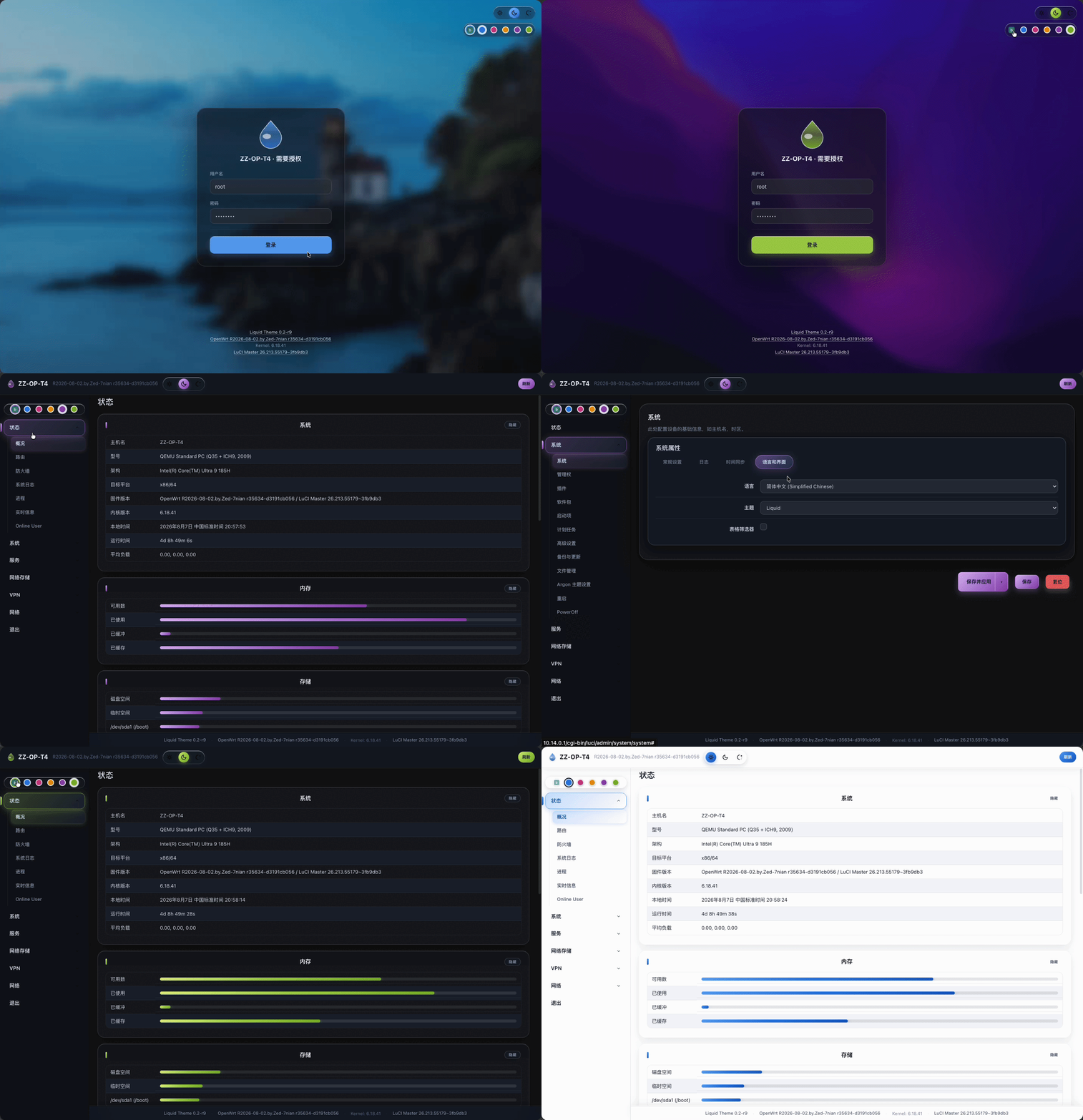
Supports light / dark / auto modes, 5 accent colors + a custom color picker and adjustable blur & transparency; frosted glass design across the login page, sidebar, content cards, dropdowns and tooltips.





English | 简体中文
Features • Changelog • Compatibility • Building & Installation • Screenshots • Credits
Features
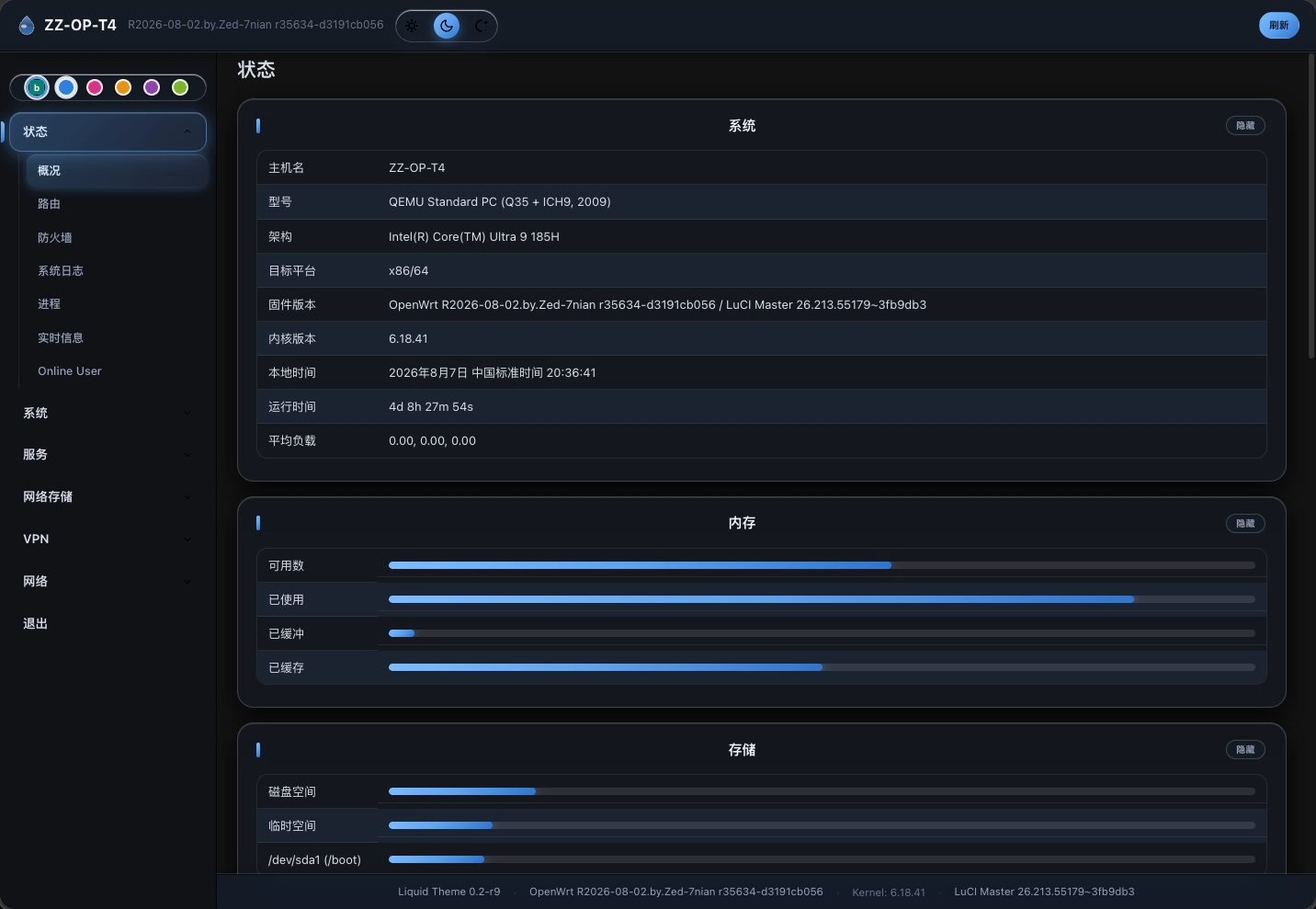
- Liquid glass design language: sidebar, content cards, login card and footer share a frosted-glass look (blur + highlight + accent glow); the dark mode glass is more solid for readable text.
- Light / dark / system: one tap in the top bar; settings are stored on your router so they survive new browsers and devices; applied before paint with no flash — the lock screen has the switch too.
- Accent colors: Distant Blue, Burgundy Red, Sunset Gold, Dusk Purple, Peridot Essence, plus a custom hex color (
#RRGGBB) — menus, hover slider, buttons, tabs and the logo all follow. - Glass opacity slider: drag 0–100 in the top-bar color area to tune the glass live, click the default tick to reset; separate light / dark defaults; menus, buttons and accent backgrounds follow; also on the lock screen.
- Menu search: the top-bar search button pushes down a drawer-style search box that filters menu items as you type, matching both Chinese names and English titles; click outside or the button again to close.
- Sidebar menu: all top-level menus collapsed by default — click a level-1 menu to expand its submenu; hover-tracking slider + selected glass capsule; multi-instance entries (e.g. Dropbear) split into their own cards; the mobile slide-out menu avoids the top bar and closes on outside taps.
- Dropdown controls: glass capsule look, width follows the longest option, the opened list flips upward near the window edge and never flashes when clicking the content area; clearer highlights in dark mode.
- Adaptive tables: equal-height cells per row; when a table no longer fits the screen, action buttons stack one per line so text keeps its width — no squeezed or clipped columns; on phones the table stays inside the screen with no sideways scrolling.
- Interfaces / Devices pages: uniform 24px interface icons, forced opaque (link state is told by the icon itself); rows keep equal heights, buttons stay on one line and stack only when space runs short; interface boxes keep a 4px gap from their row card on mobile.
- Mobile adaptation: modals at 95% width with nested cards stepping in per layer; the drawer menu closes on tapping outside and starts collapsed with no first-load flash; toast buttons wrap instead of overflowing.
- Online update check: click the footer version to check for a new release and install it in one click, with four clear states (checking / up to date / update available / failed); mobile footers show the theme version too.
- Notifications: success messages (e.g. "password changed") appear as a centered glass dialog that closes after 6 seconds.
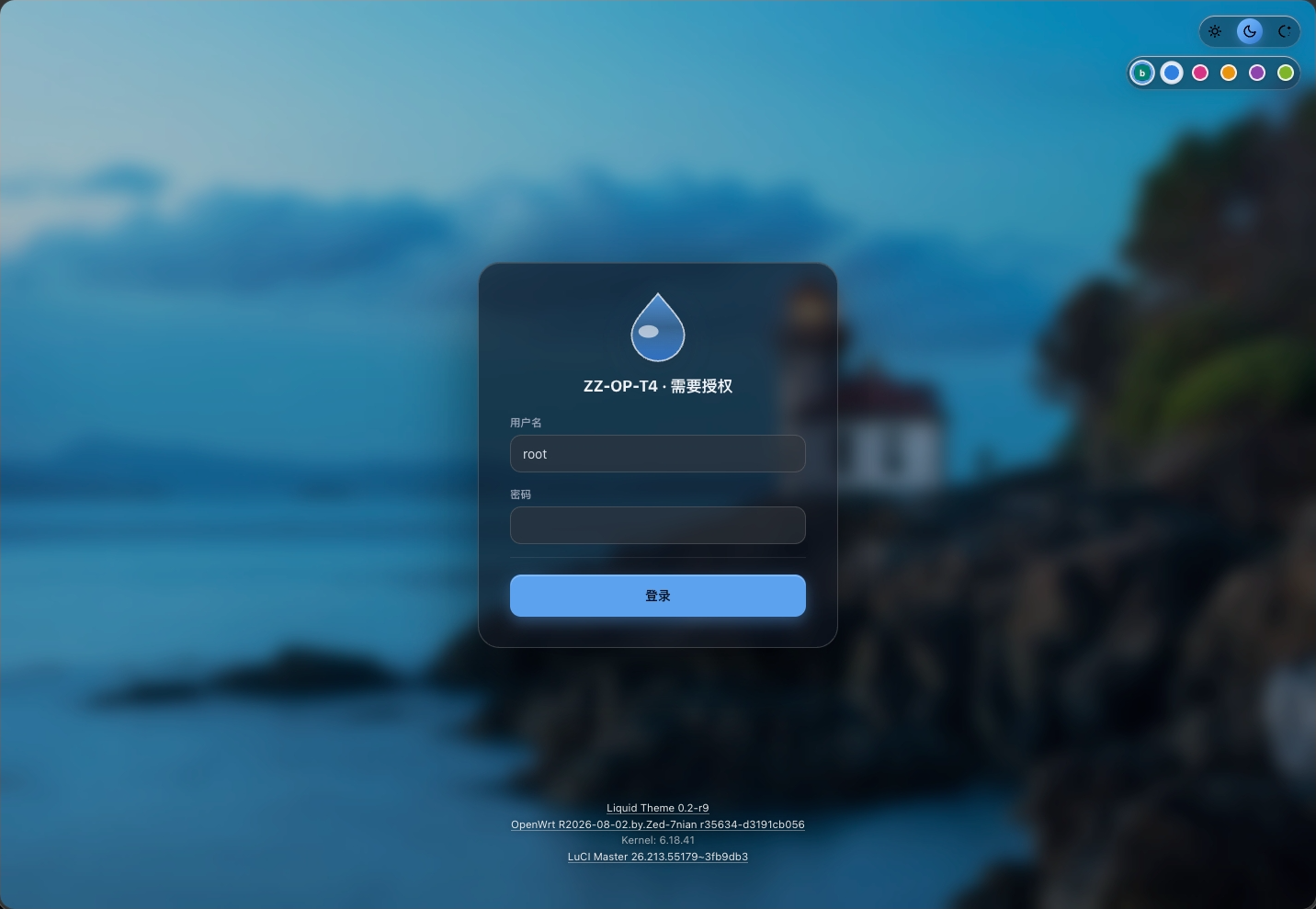
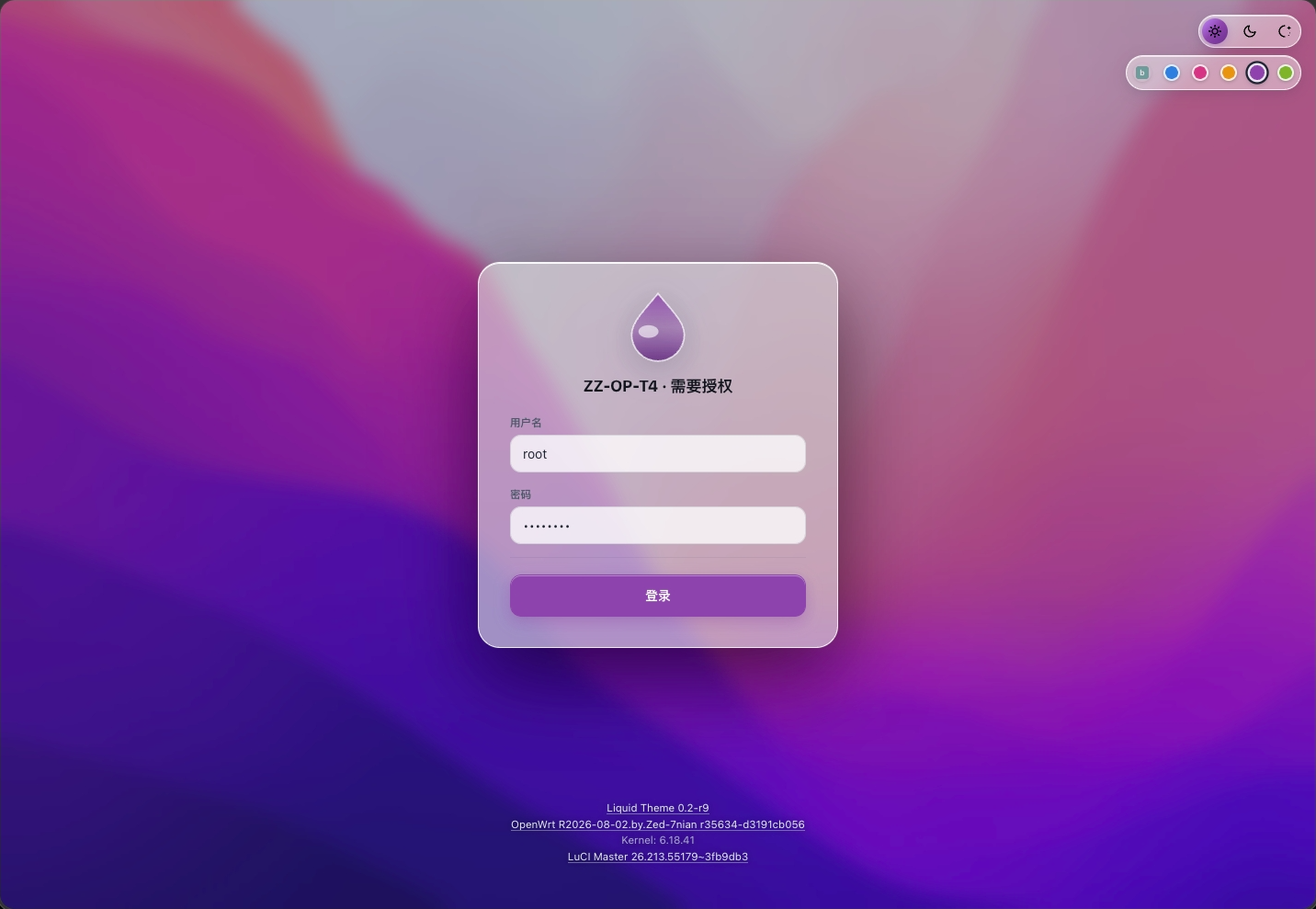
- Lock screen (login): macOS-style frosted login card + Monterey wallpaper (light/dark) + optional Bing daily wallpaper (auto-fetched and cached) + a glowing waterdrop logo; mode, accent and opacity picked before signing in can be applied with one click after login.
- Tooltips: frosted glass background, shown at the page top level (never hidden behind a neighbouring card), auto-avoid viewport edges, mutual exclusion against stale popups.
- SVG icons: network / interface status icons taken from xylz0928/luci-mod
immortalwrt-24.10; UI element icons (sun / moon / auto / refresh / lock / search / close / chevron) are built-in SVGs.
Changelog
- 2026-09-28 · v1.0 (major release): opacity slider + online update + lock screen polish + wide-table adaptivity
- Glass opacity slider: drag 0–100 in the top-bar color area for an instant preview, click the tick to reset; menus, buttons and accent backgrounds follow along, with separate light / dark defaults; also on the lock screen, and the setting stays on your router across devices
- Online update check: click the footer version to check and install a new release; checking / up to date / update available / failed are all clearly shown, and failures report an error instead of hanging; mobile footers show the version too, with bigger buttons
- Lock screen: mode, accent and opacity picked before signing in are offered with one click after login (30-second countdown, dismissible); the logo gets a frosted glass glow; fixed mode-switch flicker and accidental submits
- Dropdowns: refreshed glass look — width follows the longest option, menus flip up near the edge, no flash on click; clearer highlights in dark mode; previously broken dropdowns (e.g. wireless settings) work again
- Notifications: success messages (e.g. "password changed") now show as a centered glass dialog that closes after 6 seconds; buttons wrap on phones instead of overflowing
- Wide tables: when a table no longer fits the screen, action buttons stack one per line so text keeps its width — no more squeezed or clipped columns; on phones the table stays on screen with no sideways scrolling
- Fixes: the sidebar slider no longer sticks to the previous category; OpenClash no longer flashes dark on open; the selected tab uses a high-contrast color for dark mode
📜 Full changelog (all versions since v0.1) lives in ChangeLogs_EN.md.
Compatibility
Targets modern LuCI environments based on OpenWrt and ImmortalWrt (LuCI ≥ 23, OpenWrt 23.05 / 24.10 / master).
Building & Installation
This package uses LuCI's luci.mk packaging (include $(TOPDIR)/feeds/luci/luci.mk), so the build tree needs ./scripts/feeds update -a && ./scripts/feeds install -a (includes the luci feed).
Put this directory into package/luci-theme-liquid/ (or feeds/luci/themes/luci-theme-liquid/) of the OpenWrt source tree, enable the package in .config, then build:
cd openwrt/package
git clone https://github.com/xylz0928/luci-theme-liquid.git
make menuconfig   # choose LUCI → Themes → luci-theme-liquid
make -j1 V=s
Or build only this package:
# enable it in .config (either way)
make menuconfig          # LuCI → Themes → luci-theme-liquid
# or
echo 'CONFIG_PACKAGE_luci-theme-liquid=y' >> .config && make defconfig

make package/luci-theme-liquid/compile -j4 V=s
Note:
make package/<name>/compileonly really builds packages enabled (=y/=m) in.config; otherwise make no-ops (just printsEntering/Leaving), which is not a successful build.
The produced bin/packages/<arch>/base/luci-theme-liquid-0.3-r<rel>.apk (or .ipk) can be installed with apk / opkg:
apk add --allow-untrusted luci-theme-liquid-0.3-r1.apk
On first install the theme is registered automatically (luci.themes.Liquid=/luci-static/liquid); if luci.main.mediaurlbase is not set it is set to the theme, otherwise pick Liquid manually at System → Advanced → Theme.
Directory layout
luci-theme-liquid/
├── Makefile                          # OpenWrt package (works inside luci feed or a standalone package dir)
├── logo.svg                          # theme logo (waterdrop + Liquid)
├── htdocs/luci-static/liquid/        # theme assets (/luci-static/liquid/)
│   ├── cascade.css                   # all styles (vars / menu / tab / cbi / dashboard / lock screen)
│   ├── main.js                       # mode switch, dropdown flip, tooltip portal, config saving
│   ├── logo.svg / logo.png           # theme logo
│   ├── img/                          # lock screen wallpapers (MontereyDark / MontereyLight)
│   ├── icons/                        # network status SVG icons (from luci-mod immortalwrt-24.10)
│   └── svg/                          # UI element SVGs + dashboard icons
├── htdocs/luci-static/resources/     # shared resources (/luci-static/resources/)
│   ├── menu-liquid.js                # sidebar menu / tab rendering (L.require('menu-liquid'))
│   └── view/liquid/sysauth.js        # lock screen login view (ui.showModal 'login')
├── root/usr/share/ucode/luci/        # ucode controller (config save endpoint)
│   └── controller/liquid.uc
├── root/usr/share/luci/menu.d/       # dispatcher route registration
│   └── liquid.json
├── ucode/template/themes/liquid/     # theme ucode templates
│   ├── header.ut / footer.ut         # page skeleton (uci config / anti-flash / Bing wallpaper cache)
│   └── sysauth.ut                    # login template (blank_page + centered login box)
└── root/etc/uci-defaults/            # registers luci.themes.Liquid on install
Screenshots
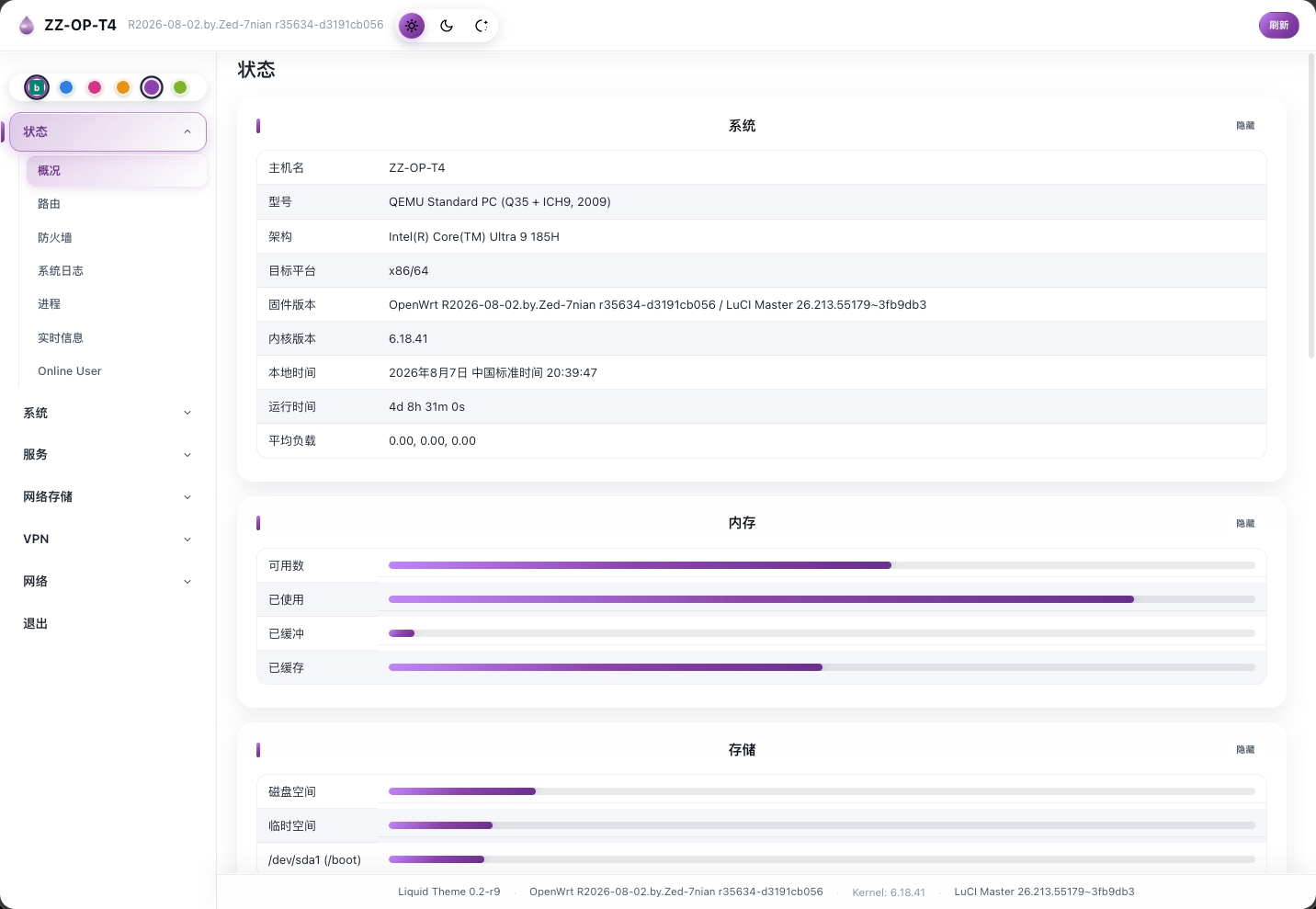
- 桌面端
- 移动端
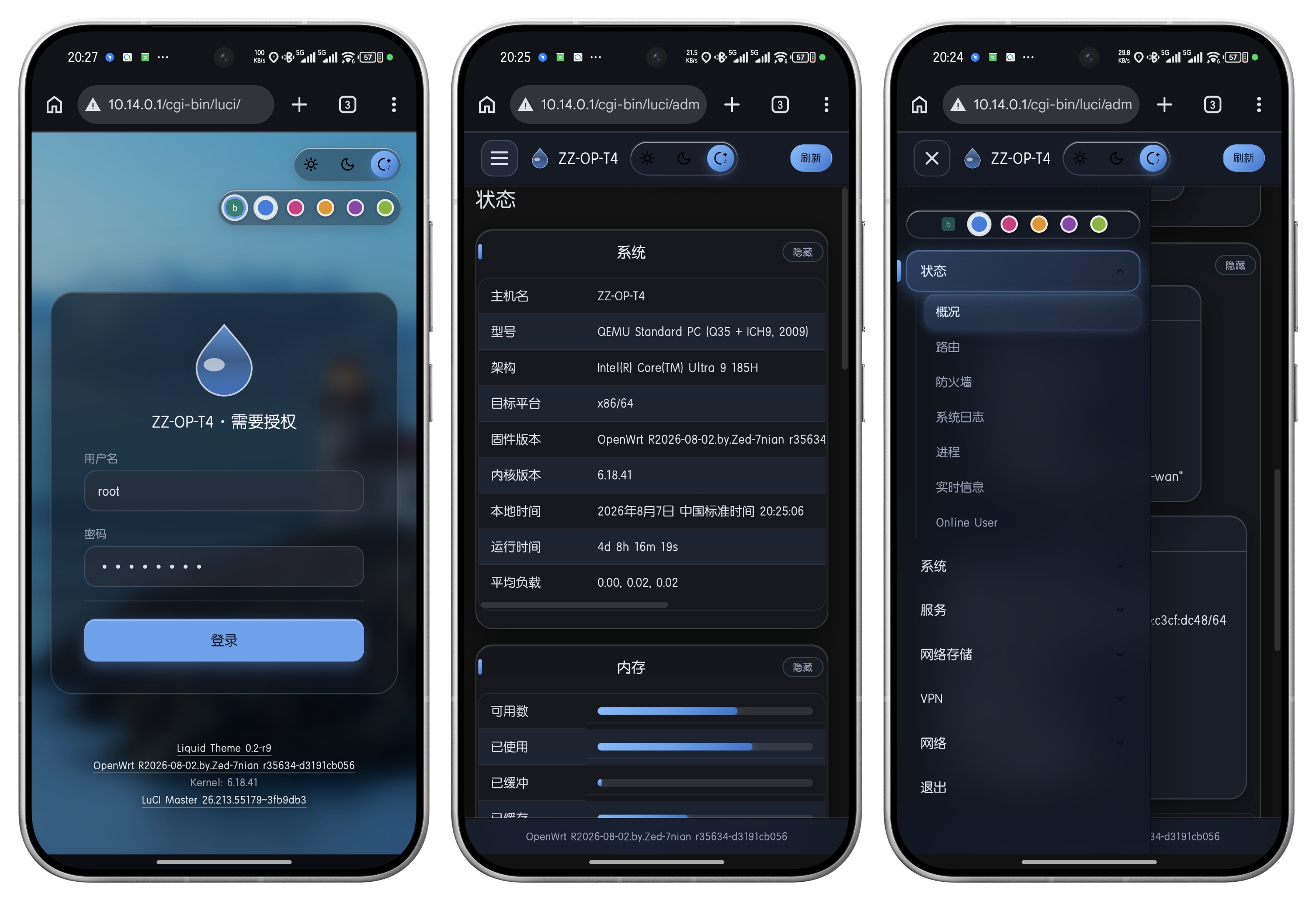
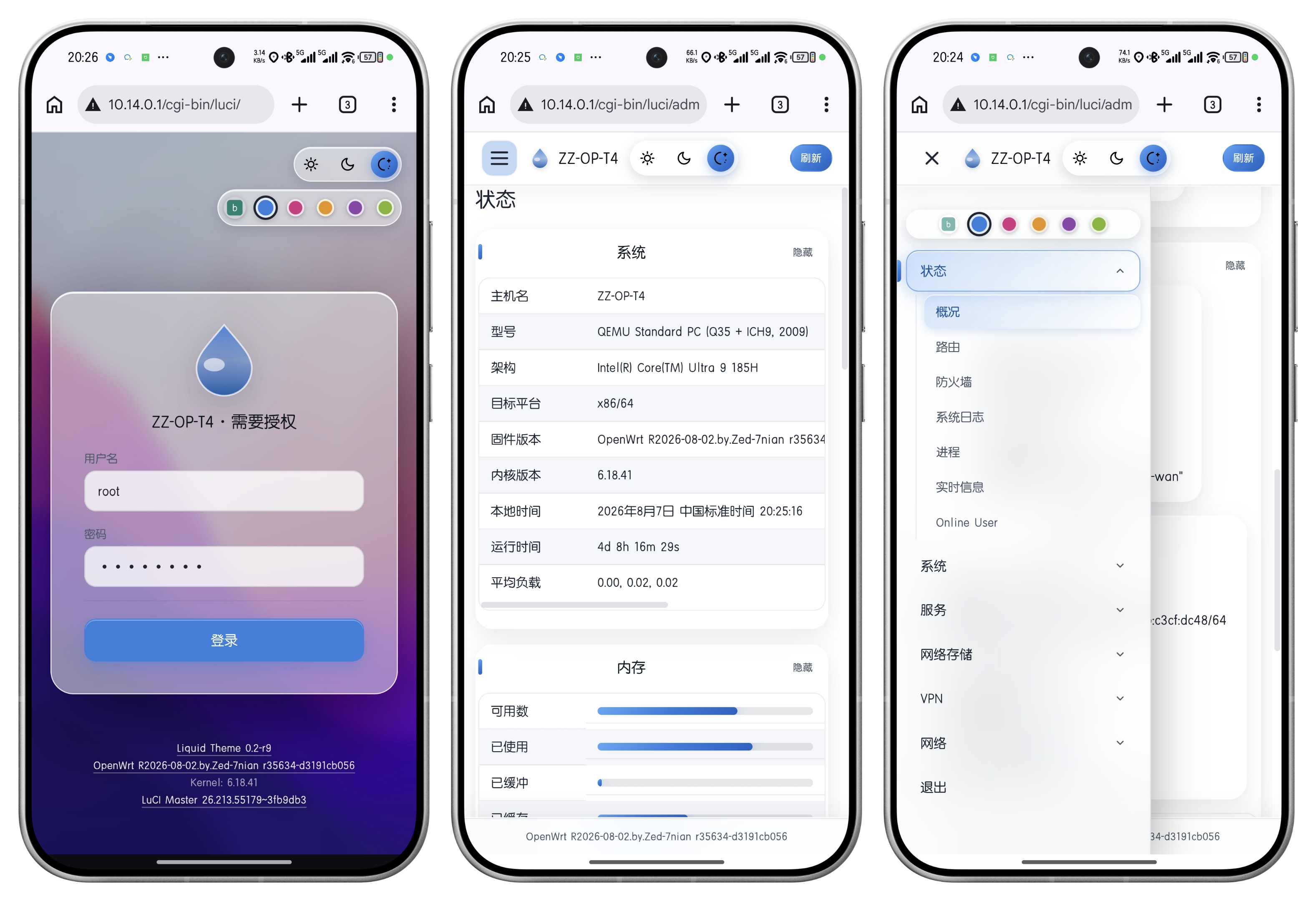
Credits
- Wallpapers: macOS Monterey (Bright/Dark), from xylz0928/luci-mod
Background/. - Network status SVG icons: from xylz0928/luci-mod
immortalwrt-24.10branchfeeds/luci/modules/luci-base/htdocs/luci-static/resources/icons/. - dashboard module icons (router / internet / wireless / devices): from official OpenWrt luci-mod-dashboard.
- Menu rendering logic references luci-theme-openwrt-2020, lock screen view references luci-theme-bootstrap (Apache-2.0).
🍡 Buy me a cup of TOKEN 😜
Appreciate Your Like!

License
Apache-2.0