mirror of
https://github.com/kiddin9/op-packages.git
synced 2026-10-26 23:52:51 +08:00

178 lines
11 KiB
Markdown
178 lines
11 KiB
Markdown
<!-- markdownlint-configure-file {
|
||
"MD013": {
|
||
"code_blocks": false,
|
||
"tables": false,
|
||
"line_length":200
|
||
},
|
||
"MD033": false,
|
||
"MD041": false
|
||
} -->
|
||
|
||
[license]: /LICENSE
|
||
[license-badge]: https://img.shields.io/github/license/zzsj0928/luci-theme-liquid?style=flat-square&a=1
|
||
[prs]: https://github.com/zzsj0928/luci-theme-liquid/pulls
|
||
[prs-badge]: https://img.shields.io/badge/PRs-welcome-brightgreen.svg?style=flat-square
|
||
[issues]: https://github.com/zzsj0928/luci-theme-liquid/issues/new
|
||
[issues-badge]: https://img.shields.io/badge/Issues-welcome-brightgreen.svg?style=flat-square
|
||
[release]: https://github.com/zzsj0928/luci-theme-liquid/releases
|
||
[release-badge]: https://img.shields.io/github/v/release/zzsj0928/luci-theme-liquid?style=flat-square
|
||
[download]: https://github.com/zzsj0928/luci-theme-liquid/releases
|
||
[download-badge]: https://img.shields.io/github/downloads/zzsj0928/luci-theme-liquid/total?style=flat-square
|
||
[en-us-link]: /README_EN.md
|
||
[zh-cn-link]: /README.md
|
||
[official]: https://github.com/openwrt/openwrt
|
||
[immortalwrt]: https://github.com/immortalwrt/immortalwrt
|
||
[luci-mod]: https://github.com/xylz0928/luci-mod
|
||
|
||
<div align="center">
|
||
<p align="center"><img src="logo.svg" width="500"></p>
|
||
|
||
# 💧 luci-theme-liquid
|
||
|
||
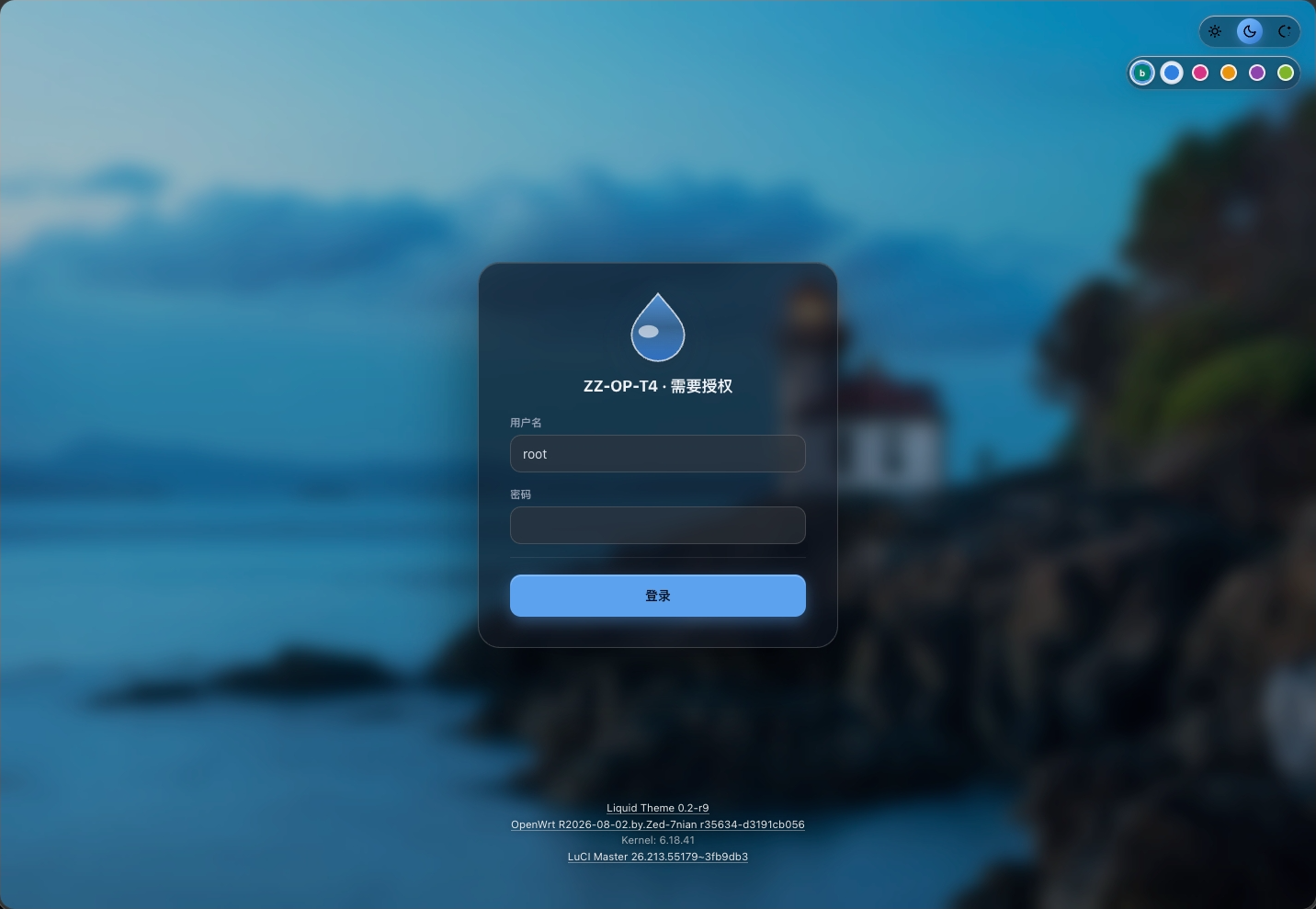
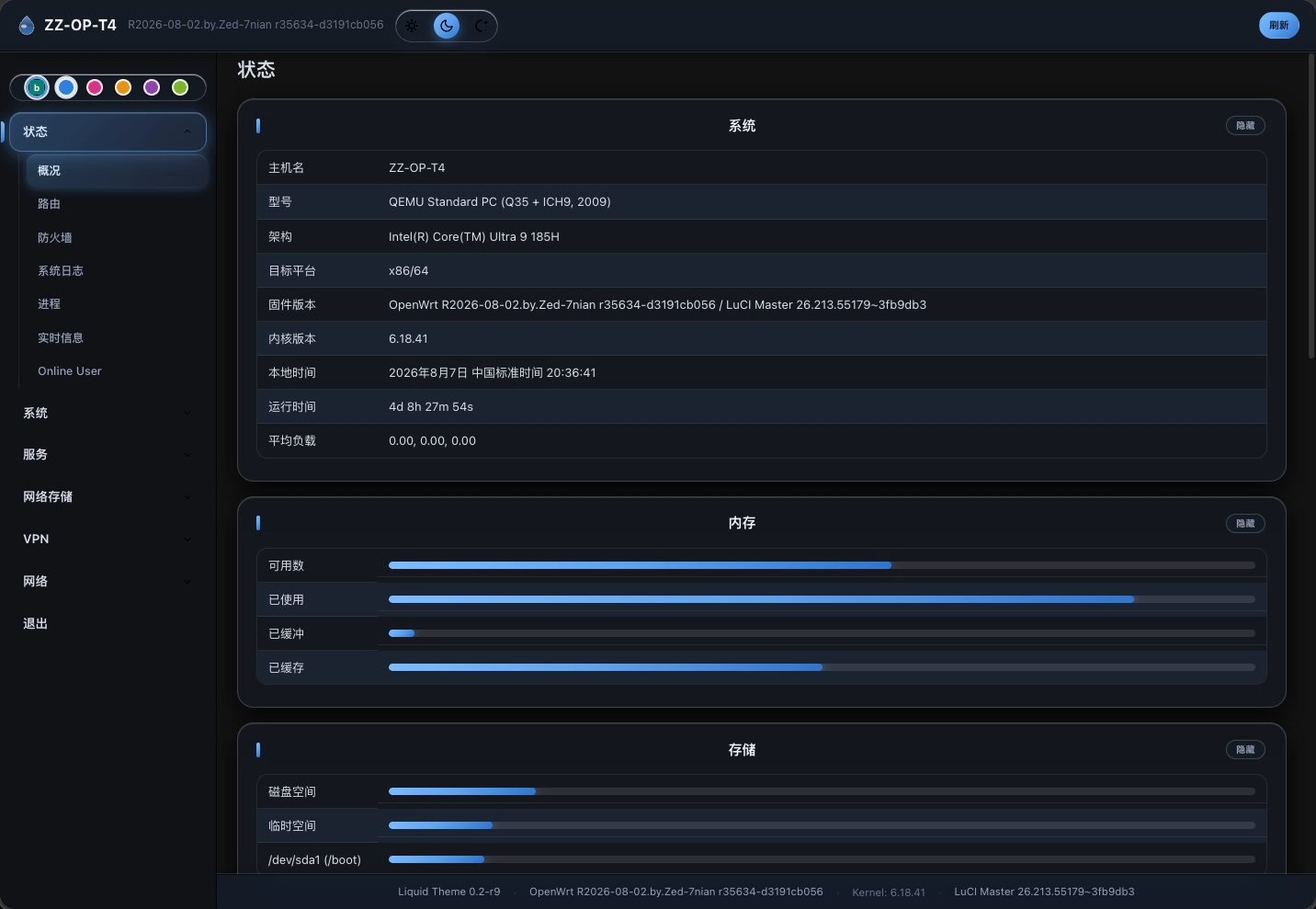
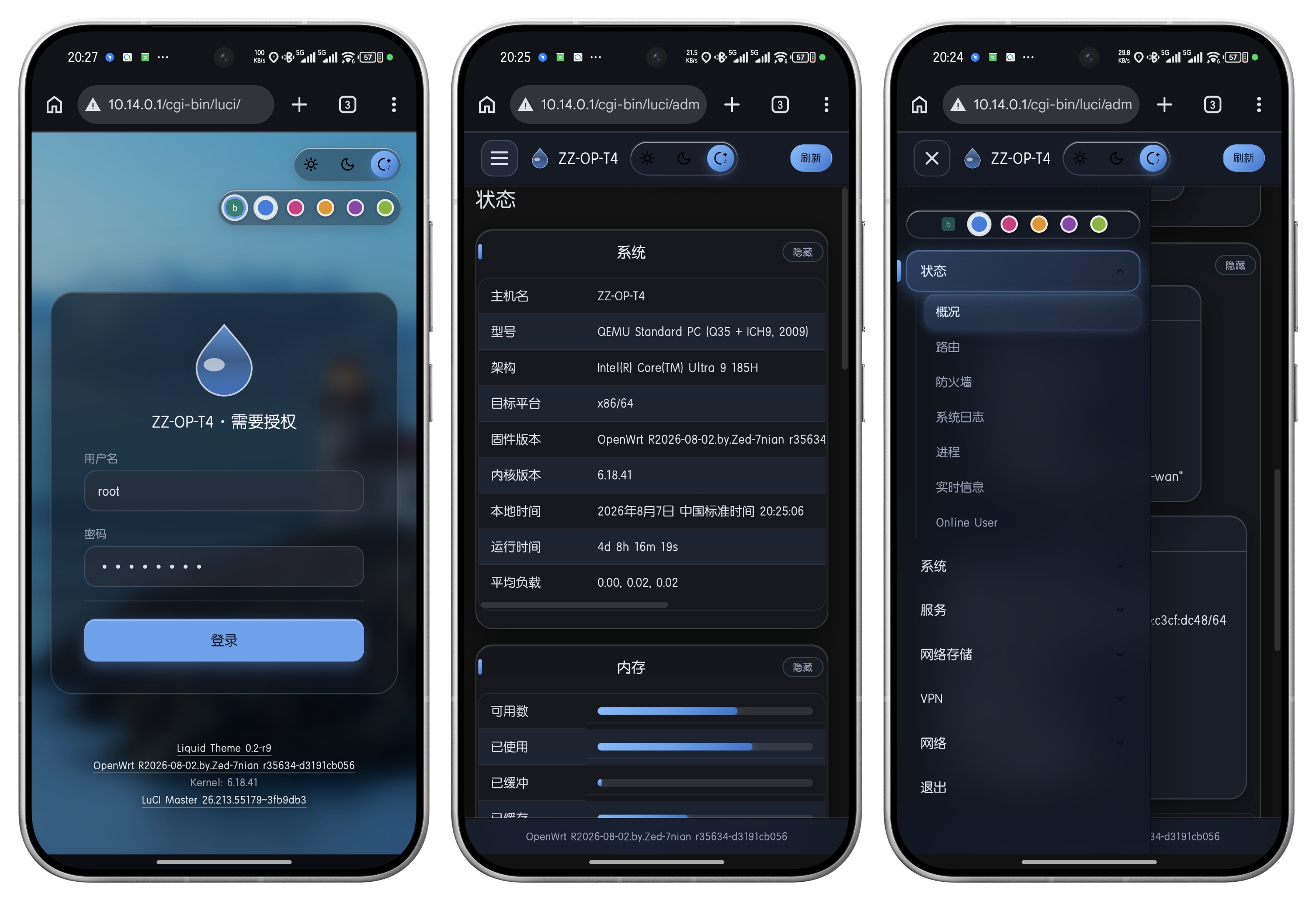
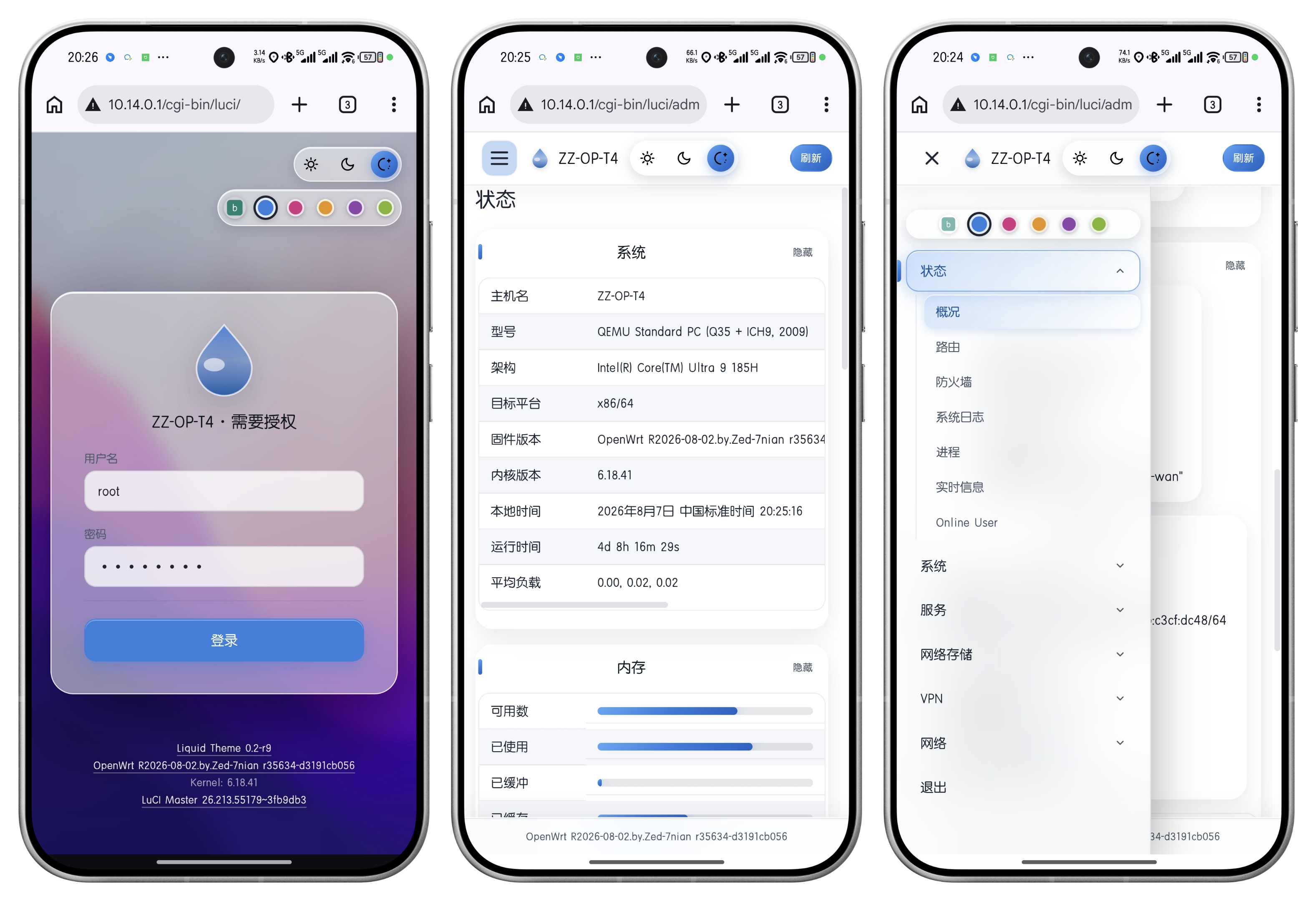
**macOS 风格 Liquid Glass(液态玻璃)OpenWrt LuCI 主题**,适用于 **LuCI ≥ 23**(OpenWrt 23.05 / 24.10 / master)。
|
||
|
||
支持**亮色 / 暗色 / 跟随系统**三态切换、**5 套主题色 + 自定义颜色**、可调玻璃模糊与透明度;登录页、侧栏、内容卡片、下拉、悬浮框全链路液态玻璃质感。
|
||
|
||
[![license][license-badge]][license]
|
||
[![prs][prs-badge]][prs]
|
||
[![issues][issues-badge]][issues]
|
||
[![release][release-badge]][release]
|
||
[![download][download-badge]][download]
|
||
|
||
**简体中文** | [English][en-us-link]
|
||
|
||
[特性](#特性) •
|
||
[更新日志](#更新日志) •
|
||
[兼容性](#兼容性) •
|
||
[编译安装](#编译安装) •
|
||
[界面展示](#界面展示) •
|
||
[致谢](#致谢)
|
||
|
||
<img src="https://raw.githubusercontent.com/zzsj0928/ReadmeContents/master/liquid/luci-theme-liquid_pc.gif">
|
||
|
||
</div>
|
||
|
||
## 特性
|
||
|
||
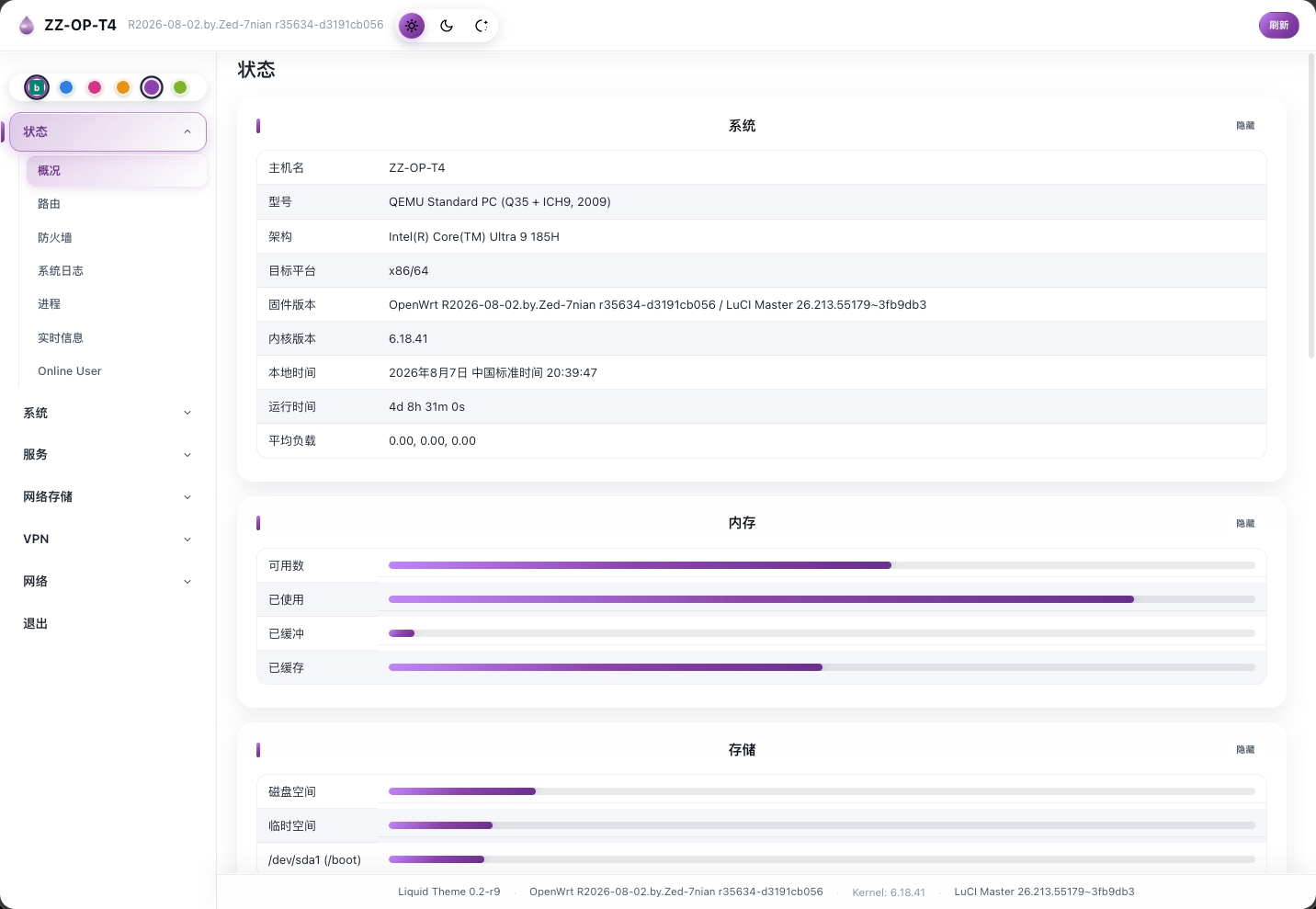
- **液态玻璃设计语言**:侧栏、内容卡片、登录卡片、页脚统一 frosted-glass(模糊 + 高光 + 主题色光晕),暗色下玻璃更实、文字更清晰。
|
||
- **亮 / 暗 / 跟随系统**:顶栏右侧一键切换,设置存在路由器上(换浏览器、换设备仍在),加载即生效、无闪烁;锁屏页同样可切。
|
||
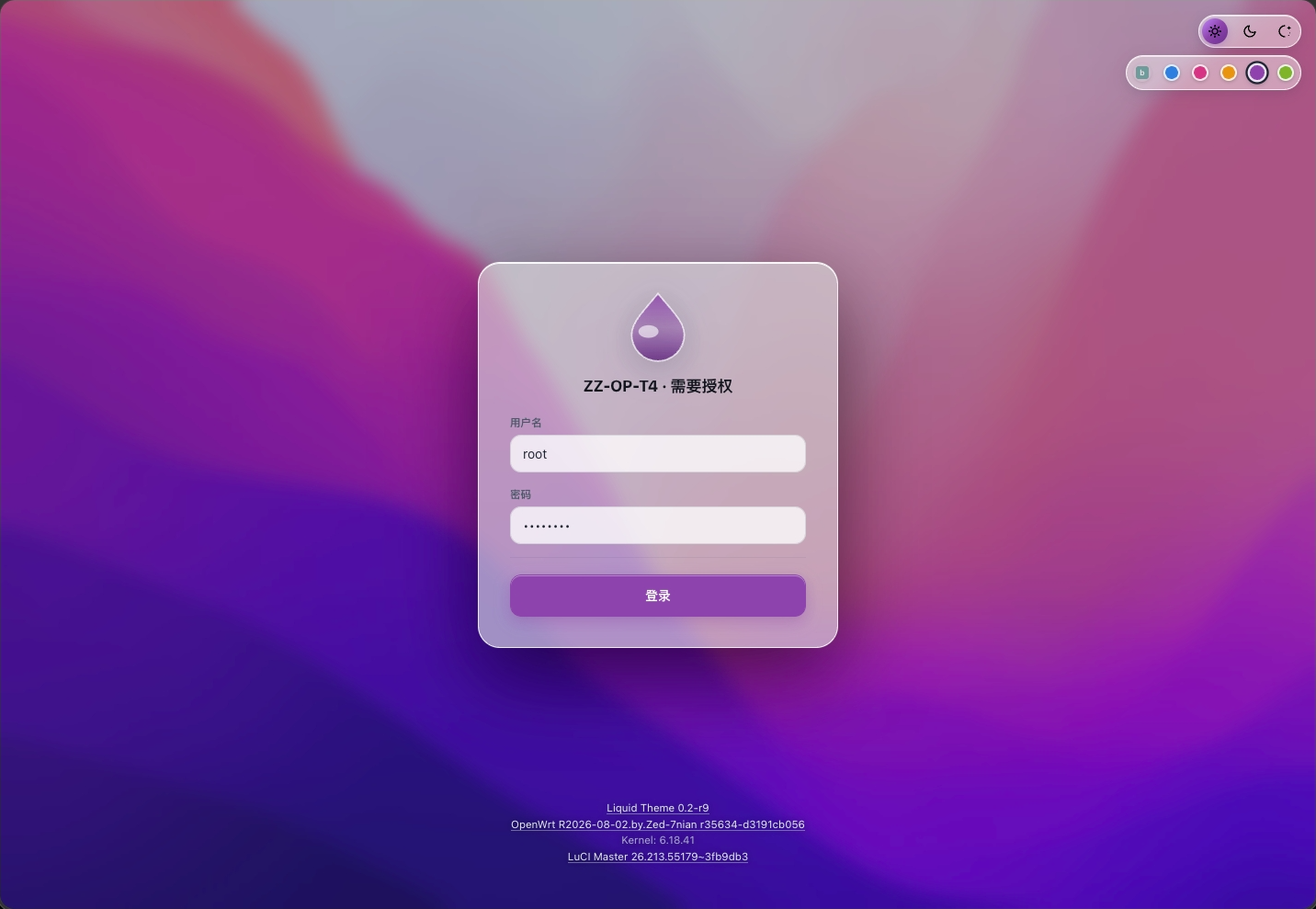
- **主题色**:**远空蓝**、**勃艮第红**、**落日金**、**暮山紫**、**青金萃** 5 套 + 自定义色(点彩虹圆点输入 `#RRGGBB`),选中菜单、悬停滑块、按钮、Tab、logo 全链路联动。
|
||
- **玻璃透明度滑杆**:顶栏颜色区拖动 0–100 实时调节玻璃深浅,点默认刻度一键还原;亮 / 暗各有默认值;菜单、按钮、主题色背景同步变化;锁屏页同样可调。
|
||
- **菜单搜索**:顶栏搜索按钮下推抽屉式搜索框,输入即实时过滤菜单,中文名与英文原题都能匹配,点外部或再点按钮收回。
|
||
- **左侧菜单**:默认全部折叠,点一级才展开二级;悬停追踪滑块 + 选中玻璃胶囊;多实例配置(如 Dropbear)自动拆成独立卡片;移动端滑出菜单避让顶栏、点空白关闭。
|
||
- **下拉控件**:玻璃胶囊外观,宽度随最长选项自动伸缩、贴近窗口边缘自动向上弹出、点内容区不闪烁;暗色下选项高亮更清楚。
|
||
- **表格自适应**:行内单元格等高;表格超出屏幕时先把操作按钮竖排(一行一个)把宽度让给文字,文字不再被挤窄或裁掉;手机上表格收回屏内、无需左右拖动。
|
||
- **接口 / 设备页**:接口图标统一 24px、始终不透明(连接状态由图标本身区分);行内等高,按钮平时一行、放不下时自动竖排让位文字;移动端接口小框与所在行卡片保持 4px 间隔。
|
||
- **移动端适配**:弹出窗口 95% 宽、嵌套卡片逐层向内缩进;抽屉菜单点空白关闭、首屏直接收起无闪烁;提示按钮自动换行不溢出。
|
||
- **在线检查更新**:点页脚版本号即可检查新版本、一键更新,检查中 / 已是最新 / 有新版本 / 失败 四态清晰;手机页脚同样显示主题版本。
|
||
- **提示弹窗**:成功提示(如“密码已更改”)升级为屏幕居中的玻璃弹窗,6 秒自动关闭。
|
||
- **锁屏(登录页)**:macOS 风格玻璃登录卡片 + Monterey 壁纸(亮/暗)+ 可选 **Bing 每日壁纸**(每日自动抓取缓存)+ 毛玻璃光晕水滴 logo;登录前调好的明暗 / 主题色 / 透明度,登录成功后一键应用。
|
||
- **悬浮内容框(tooltip)**:磨砂玻璃底、置顶显示(不被相邻卡片遮挡)、边缘自动避让、互斥防残留。
|
||
- **SVG 图标**:网络 / 接口状态图标取自 [xylz0928/luci-mod][luci-mod] `immortalwrt-24.10` 分支的 SVG 图标集;UI 元素图标(sun / moon / auto / refresh / lock / search / close / chevron)为内置 SVG。
|
||
|
||
|
||
## 更新日志
|
||
|
||
- **2026-09-28 · v1.0(主版本升级)**:透明度调节 + 在线更新 + 登录体验 + 宽表格自适应
|
||
- **玻璃透明度滑杆**:顶栏颜色区拖动 0–100 即时生效、点刻度回默认;菜单、按钮、主题色背景同步变化,亮 / 暗各有默认;登录页同样可调,设置存在路由器上、换设备保留
|
||
- **在线检查更新**:点页脚版本号即可检查新版本、一键更新;检查中 / 已是最新 / 有新版本 / 失败 四种状态一目了然,失败会明确提示;手机页脚也显示版本、按钮加大
|
||
- **登录页**:登录前调好的明暗 / 主题色 / 透明度,登录后弹提示一键应用(30 秒可忽略);logo 换上毛玻璃光晕;修复明暗切换闪动与误触提交
|
||
- **下拉菜单**:玻璃外观重做,宽度随最长选项伸缩、贴边自动上弹、点内容不闪烁;暗色下选项更清楚;无线设置等页面异常的下拉恢复正常
|
||
- **提示弹窗**:成功提示(如“密码已更改”)改为屏幕居中玻璃弹窗、6 秒自动关闭;手机上按钮自动换行不溢出
|
||
- **宽表格自适应**:表格超出屏幕时先折叠操作按钮(一行一个)把宽度让给文字,文字不再被挤窄或裁掉;手机上表格收回屏内、无需左右拖动
|
||
- **其他修复**:菜单滑块切分类不再停在原处;OpenClash 打开不再先闪黑;选中标签改高对比配色,暗色下更清楚
|
||
|
||
> 📜 完整更新日志(v0.1 起全部版本)见 **[ChangeLogs.md](ChangeLogs.md)**。
|
||
|
||
## 兼容性
|
||
|
||
支持基于 [OpenWrt 官方][official] 与 [ImmortalWrt][immortalwrt] 的现代 LuCI 环境(LuCI ≥ 23,OpenWrt 23.05 / 24.10 / master)。
|
||
|
||
## 编译安装
|
||
|
||
本包使用 LuCI feed 的 `luci.mk` 打包规则(`include $(TOPDIR)/feeds/luci/luci.mk`),因此编译环境需先 `./scripts/feeds update -a && ./scripts/feeds install -a`(含 luci feed)。
|
||
|
||
把本目录放入 OpenWrt 源码树的 `package/luci-theme-liquid/`(或 `feeds/luci/themes/luci-theme-liquid/`),在 `.config` 中启用该包后编译:
|
||
|
||
```bash
|
||
cd openwrt/package
|
||
git clone https://github.com/xylz0928/luci-theme-liquid.git
|
||
make menuconfig # 选择 LUCI → Themes → luci-theme-liquid
|
||
make -j1 V=s
|
||
```
|
||
|
||
或直接编译单个包:
|
||
|
||
```sh
|
||
# 在 .config 中启用(任选其一)
|
||
make menuconfig # LuCI → Themes → luci-theme-liquid
|
||
# 或
|
||
echo 'CONFIG_PACKAGE_luci-theme-liquid=y' >> .config && make defconfig
|
||
|
||
make package/luci-theme-liquid/compile -j4 V=s
|
||
```
|
||
|
||
> 注意:`make package/<name>/compile` 只对已在 `.config` 中启用(`=y`/`=m`)的包真正执行构建,未启用时 make 会空转(`Entering/Leaving` 无任何动作),不要误判为成功。
|
||
|
||
生成的 `bin/packages/<arch>/base/luci-theme-liquid-0.3-r<rel>.apk`(或 `.ipk`)可通过 `apk` / `opkg` 安装:
|
||
|
||
```sh
|
||
apk add --allow-untrusted luci-theme-liquid-0.3-r1.apk
|
||
```
|
||
|
||
首次安装会自动注册主题(`luci.themes.Liquid=/luci-static/liquid`);若 `luci.main.mediaurlbase` 尚未配置则自动设为该主题,否则请在 **System → Advanced → Theme** 中手动选择 **Liquid**。
|
||
|
||
### 目录结构
|
||
|
||
```
|
||
luci-theme-liquid/
|
||
├── Makefile # OpenWrt 包(luci feed 内/独立 package 目录均可编译)
|
||
├── logo.svg # 主题 logo(水滴 + Liquid)
|
||
├── htdocs/luci-static/liquid/ # 主题媒体资源(/luci-static/liquid/)
|
||
│ ├── cascade.css # 全部样式(变量 / 菜单 / tab / cbi / dashboard / 锁屏)
|
||
│ ├── main.js # 模式开关注入、下拉避让、tooltip portal 等
|
||
│ ├── logo.svg / logo.png # 主题 logo
|
||
│ ├── img/ # 锁屏壁纸(MontereyDark / MontereyLight)
|
||
│ ├── icons/ # 网络状态 SVG 图标(来自 luci-mod immortalwrt-24.10)
|
||
│ └── svg/ # UI 元素 SVG + dashboard 图标
|
||
├── htdocs/luci-static/resources/ # 共享资源(/luci-static/resources/)
|
||
│ ├── menu-liquid.js # 左侧菜单 / tab 渲染(L.require('menu-liquid'))
|
||
│ └── view/liquid/sysauth.js # 锁屏登录视图(ui.showModal 'login')
|
||
├── ucode/template/themes/liquid/ # 主题 ucode 模板
|
||
│ ├── header.ut / footer.ut # 页面骨架(uci 配置读取 / 防闪烁 / Bing 壁纸缓存)
|
||
│ └── sysauth.ut # 登录页模板(blank_page + 居中登录框)
|
||
└── root/
|
||
├── etc/uci-defaults/ # 安装时注册 luci.themes.Liquid
|
||
└── usr/share/ucode/luci/controller/liquid.uc # 主题配置保存端点(/admin/system/liquid/save_config)
|
||
```
|
||
|
||
## 界面展示
|
||
|
||
- 桌面端
|
||
|
||
|
||
|
||
|
||
|
||
|
||
|
||
- 移动端
|
||
|
||
|
||
|
||
|
||
## 致谢
|
||
|
||
- 壁纸:macOS Monterey(Bright/Dark),来自 [xylz0928/luci-mod][luci-mod] `Background/`。
|
||
- 网络状态 SVG 图标:来自 [xylz0928/luci-mod][luci-mod] `immortalwrt-24.10` 分支 `feeds/luci/modules/luci-base/htdocs/luci-static/resources/icons/`。
|
||
- dashboard 模块图标(router / internet / wireless / devices):来自 OpenWrt 官方 [luci-mod-dashboard](https://github.com/openwrt/luci/tree/master/modules/luci-mod-dashboard)。
|
||
- 菜单渲染逻辑参考 [luci-theme-openwrt-2020](https://github.com/openwrt/luci/tree/master/themes/luci-theme-openwrt-2020),锁屏视图参考 [luci-theme-bootstrap](https://github.com/openwrt/luci/tree/master/themes/luci-theme-bootstrap)(Apache-2.0)。
|
||
|
||
## 🍡 赏我一把 Token
|
||
**制作不易,感谢支持**
|
||

|
||
|
||
## License
|
||
|
||
Apache-2.0
|